保留正文与补采附件。源页面当前未重新核验;具体限制见交付清单。
 We value your privacy
We use cookies to enhance your browsing experience, serve personalised ads or content, and analyse our traffic. By clicking "Accept All", you consent to our use of cookies.
Customise Reject All Accept All
Customise Consent Preferences
We value your privacy
We use cookies to enhance your browsing experience, serve personalised ads or content, and analyse our traffic. By clicking "Accept All", you consent to our use of cookies.
Customise Reject All Accept All
Customise Consent Preferences  We use cookies to help you navigate efficiently and perform certain functions. You will find detailed information about all cookies under each consent category below.
The cookies that are categorised as "Necessary" are stored on your browser as they are essential for enabling the basic functionalities of the site. ... Show more
NecessaryAlways Active
Necessary cookies are required to enable the basic features of this site, such as providing secure log-in or adjusting your consent preferences. These cookies do not store any personally identifiable data.
We use cookies to help you navigate efficiently and perform certain functions. You will find detailed information about all cookies under each consent category below.
The cookies that are categorised as "Necessary" are stored on your browser as they are essential for enabling the basic functionalities of the site. ... Show more
NecessaryAlways Active
Necessary cookies are required to enable the basic features of this site, such as providing secure log-in or adjusting your consent preferences. These cookies do not store any personally identifiable data.
-
Cookie
BCTempID
-
Duration
10 minutes
-
Description
No description available.
-
Cookie
__cf_bm
-
Duration
1 hour
-
Description
This cookie, set by Cloudflare, is used to support Cloudflare Bot Management.
-
Cookie
AWSALBCORS
-
Duration
7 days
-
Description
Amazon Web Services set this cookie for load balancing.
-
Cookie
_cfuvid
-
Duration
session
-
Description
Cloudflare sets this cookie to track users across sessions to optimize user experience by maintaining session consistency and providing personalized services
-
Cookie
li_gc
-
Duration
6 months
-
Description
Linkedin set this cookie for storing visitor's consent regarding using cookies for non-essential purposes.
-
Cookie
__hssrc
-
Duration
session
-
Description
This cookie is set by Hubspot whenever it changes the session cookie. The __hssrc cookie set to 1 indicates that the user has restarted the browser, and if the cookie does not exist, it is assumed to be a new session.
-
Cookie
__hssc
-
Duration
1 hour
-
Description
HubSpot sets this cookie to keep track of sessions and to determine if HubSpot should increment the session number and timestamps in the __hstc cookie.
-
Cookie
wpEmojiSettingsSupports
-
Duration
session
-
Description
WordPress sets this cookie when a user interacts with emojis on a WordPress site. It helps determine if the user's browser can display emojis properly.
-
Cookie
BCSessionID
-
Duration
1 year 1 month 4 days
-
Description
Blueconic sets this cookie as a unique identifier for the BlueConic profile.
-
Cookie
_octo
-
Duration
1 year
-
Description
No description available.
-
Cookie
logged_in
-
Duration
1 year
-
Description
No description available.
-
Cookie
__Secure-YEC
-
Duration
past
-
Description
YouTube sets this cookie to stores the user's video player preferences using embedded YouTube video
-
Cookie
__eoi
-
Duration
6 months
-
Description
Description is currently not available.
-
Cookie
AWSALBTGCORS
-
Duration
7 days
-
Description
No description available.
-
Cookie
login-status-p
-
Duration
past
-
Description
Description is currently not available.
-
Cookie
AWSALBTG
-
Duration
7 days
-
Description
No description available.
-
Cookie
csrf_token
-
Duration
session
-
Description
No description available.
-
Cookie
token_v2
-
Duration
1 day
-
Description
Description is currently not available.
-
Cookie
D
-
Duration
1 year
-
Description
Description is currently not available.
-
Cookie
PHPSESSID
-
Duration
session
-
Description
This cookie is native to PHP applications. The cookie stores and identifies a user's unique session ID to manage user sessions on the website. The cookie is a session cookie and will be deleted when all the browser windows are closed.
-
Cookie
VISITOR_PRIVACY_METADATA
-
Duration
6 months
-
Description
YouTube sets this cookie to store the user's cookie consent state for the current domain.
-
Cookie
cookietest
-
Duration
session
-
Description
The cookietest cookie is typically used to determine whether the user's browser accepts cookies, essential for website functionality and user experience.
-
Cookie
__Host-airtable-session
-
Duration
1 year
-
Description
This cookie is used to enable us to integrate the services of Airtable.
-
Cookie
__Host-airtable-session.sig
-
Duration
1 year
-
Description
This cookie is used to enable us to integrate the services of Airtable.
-
Cookie
m
-
Duration
1 year 1 month 4 days
-
Description
Stripe sets this cookie for fraud prevention purposes. It identifies the device used to access the website, allowing the website to be formatted accordingly.
-
Cookie
BIGipServer*
-
Duration
session
-
Description
Marketo sets this cookie to collect information about the user's online activity and build a profile about their interests to provide advertisements relevant to the user.
-
Cookie
__cfruid
-
Duration
session
-
Description
Cloudflare sets this cookie to identify trusted web traffic.
-
Cookie
_GRECAPTCHA
-
Duration
6 months
-
Description
Google Recaptcha service sets this cookie to identify bots to protect the website against malicious spam attacks.
-
Cookie
__Secure-YNID
-
Duration
6 months
-
Description
Google cookie used to protect user security and prevent fraud, especially during the login process.
-
Cookie
cookieyes-consent
-
Duration
1 year
-
Description
CookieYes sets this cookie to remember users' consent preferences so that their preferences are respected on subsequent visits to this site. It does not collect or store any personal information about the site visitors.
Functional
Functional cookies help perform certain functionalities like sharing the content of the website on social media platforms, collecting feedback, and other third-party features.
-
Cookie
lidc
-
Duration
1 day
-
Description
LinkedIn sets the lidc cookie to facilitate data center selection.
-
Cookie
brw
-
Duration
1 year
-
Description
No description available.
-
Cookie
brwConsent
-
Duration
5 minutes
-
Description
Description is currently not available.
-
Cookie
WMF-Uniq
-
Duration
1 year
-
Description
Description is currently not available.
-
Cookie
loom_anon_comment
-
Duration
1 year
-
Description
No description available.
-
Cookie
loom_referral_video
-
Duration
session
-
Description
Description is currently not available.
-
Cookie
VISITOR_INFO1_LIVE
-
Duration
6 months
-
Description
A cookie set by YouTube to measure bandwidth that determines whether the user gets the new or old player interface.
-
Cookie
yt-remote-connected-devices
-
Duration
Never Expires
-
Description
YouTube sets this cookie to store the user's video preferences using embedded YouTube videos.
-
Cookie
ytidb::LAST_RESULT_ENTRY_KEY
-
Duration
Never Expires
-
Description
The cookie ytidb::LAST_RESULT_ENTRY_KEY is used by YouTube to store the last search result entry that was clicked by the user. This information is used to improve the user experience by providing more relevant search results in the future.
-
Cookie
yt-remote-device-id
-
Duration
Never Expires
-
Description
YouTube sets this cookie to store the user's video preferences using embedded YouTube videos.
-
Cookie
yt-remote-session-name
-
Duration
session
-
Description
The yt-remote-session-name cookie is used by YouTube to store the user's video player preferences using embedded YouTube video.
-
Cookie
yt-remote-fast-check-period
-
Duration
session
-
Description
The yt-remote-fast-check-period cookie is used by YouTube to store the user's video player preferences for embedded YouTube videos.
-
Cookie
yt-remote-session-app
-
Duration
session
-
Description
The yt-remote-session-app cookie is used by YouTube to store user preferences and information about the interface of the embedded YouTube video player.
-
Cookie
yt-remote-cast-available
-
Duration
session
-
Description
The yt-remote-cast-available cookie is used to store the user's preferences regarding whether casting is available on their YouTube video player.
-
Cookie
yt-remote-cast-installed
-
Duration
session
-
Description
The yt-remote-cast-installed cookie is used to store the user's video player preferences using embedded YouTube video.
-
Cookie
cp_session
-
Duration
3 months
-
Description
Codepen sets this cookie for Help systems found in the website.
-
Cookie
loid
-
Duration
1 year 1 month 4 days
-
Description
This cookie is set by the Reddit. The cookie enables the sharing of content from the website onto the social media platform.
Analytics
Analytical cookies are used to understand how visitors interact with the website. These cookies help provide information on metrics such as the number of visitors, bounce rate, traffic source, etc.
-
Cookie
__hstc
-
Duration
6 months
-
Description
Hubspot set this main cookie for tracking visitors. It contains the domain, initial timestamp (first visit), last timestamp (last visit), current timestamp (this visit), and session number (increments for each subsequent session).
-
Cookie
hubspotutk
-
Duration
6 months
-
Description
HubSpot sets this cookie to keep track of the visitors to the website. This cookie is passed to HubSpot on form submission and used when deduplicating contacts.
-
Cookie
_ga
-
Duration
1 year 1 month 4 days
-
Description
Google Analytics sets this cookie to calculate visitor, session and campaign data and track site usage for the site's analytics report. The cookie stores information anonymously and assigns a randomly generated number to recognise unique visitors.
-
Cookie
ga*
-
Duration
1 year 1 month 4 days
-
Description
Google Analytics sets this cookie to store and count page views.
-
Cookie
__Host-psifi.analyticsTrace
-
Duration
6 hours
-
Description
Description is currently not available.
-
Cookie
__Host-psifi.analyticsTraceV2
-
Duration
6 hours
-
Description
Description is currently not available.
-
Cookie
_gh_sess
-
Duration
session
-
Description
GitHub sets this cookie for temporary application and framework state between pages like what step the user is on in a multiple step form.
-
Cookie
YSC
-
Duration
session
-
Description
YSC cookie is set by Youtube and is used to track the views of embedded videos on Youtube pages.
-
Cookie
ajs_anonymous_id
-
Duration
1 year
-
Description
This cookie is set by Segment to count the number of people who visit a certain site by tracking if they have visited before.
-
Cookie
vuid
-
Duration
1 year 1 month 4 days
-
Description
Vimeo installs this cookie to collect tracking information by setting a unique ID to embed videos on the website.
Performance
Performance cookies are used to understand and analyse the key performance indexes of the website which helps in delivering a better user experience for the visitors.
-
Cookie
AWSALB
-
Duration
7 days
-
Description
AWSALB is an application load balancer cookie set by Amazon Web Services to map the session to the target.
-
Cookie
acq
-
Duration
past
-
Description
Description is currently not available.
-
Cookie
acq.sig
-
Duration
past
-
Description
Description is currently not available.
-
Cookie
ptc
-
Duration
2 years
-
Description
No description available.
Advertisement
Advertisement cookies are used to provide visitors with customised advertisements based on the pages you visited previously and to analyse the effectiveness of the ad campaigns.
-
Cookie
muc_ads
-
Duration
1 year 1 month 4 days
-
Description
Twitter sets this cookie to collect user behaviour and interaction data to optimize the website.
-
Cookie
guest_id_marketing
-
Duration
1 year 1 month 4 days
-
Description
Twitter sets this cookie to identify and track the website visitor.
-
Cookie
guest_id_ads
-
Duration
1 year 1 month 4 days
-
Description
Twitter sets this cookie to identify and track the website visitor.
-
Cookie
personalization_id
-
Duration
1 year 1 month 4 days
-
Description
Twitter sets this cookie to integrate and share features for social media and also store information about how the user uses the website, for tracking and targeting.
-
Cookie
guest_id
-
Duration
1 year 1 month 4 days
-
Description
Twitter sets this cookie to identify and track the website visitor. It registers if a user is signed in to the Twitter platform and collects information about ad preferences.
-
Cookie
bcookie
-
Duration
1 year
-
Description
LinkedIn sets this cookie from LinkedIn share buttons and ad tags to recognize browser IDs.
-
Cookie
__Secure-ROLLOUT_TOKEN
-
Duration
6 months
-
Description
YouTube sets this cookie to manage feature rollout and experimentation. It helps Google control which new features or interface changes are shown to users as part of testing and staged rollouts, ensuring consistent experience for a given user during an experiment.
-
Cookie
yt.innertube::nextId
-
Duration
Never Expires
-
Description
YouTube sets this cookie to register a unique ID to store data on what videos from YouTube the user has seen.
-
Cookie
yt.innertube::requests
-
Duration
Never Expires
-
Description
YouTube sets this cookie to register a unique ID to store data on what videos from YouTube the user has seen.
-
Cookie
session_tracker
-
Duration
session
-
Description
This cookie is set by the Reddit. This cookie is used to identify trusted web traffic. It also helps in adverstising on the website.
-
Cookie
edgebucket
-
Duration
session
-
Description
Reddit sets this cookie to save the information about a log-on Reddit user, for the purpose of advertisement recommendations and updating the content.
-
Cookie
did
-
Duration
1 year
-
Description
Arbor sets this cookie to show targeted ads to site visitors.This cookie expires after 2 months or 1 year.
Uncategorised
Other uncategorised cookies are those that are being analysed and have not been classified into a category as yet.
No cookies to display.
Reject All Save My Preferences Accept All
Toggle SearchToggle Mobile Navigation
Publish AI, ML & data-science insights to a global community of data professionals.
Sign inSubmit an Article
LatestEditor's PicksNewsletterShipAI
Write For TDS
LinkedInXToggle Search
Programming
EDA in Public (Part 1): Cleaning and Exploring Sales Data with Pandas
Learn how to clean messy CSVs, summarize data, and visualize basic trends in e-commerce sales.
Ibrahim Salami
December 12, 202510 min read
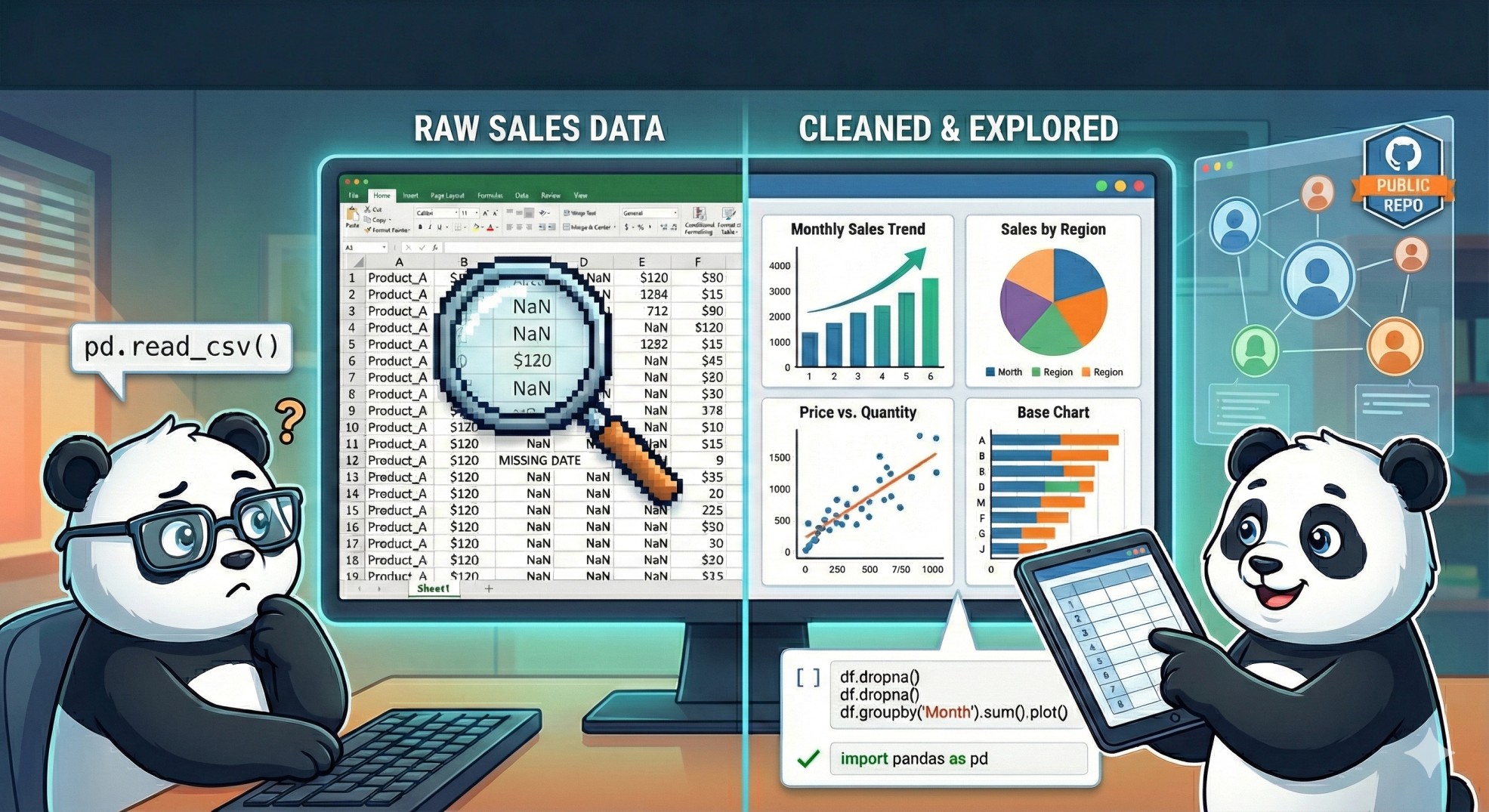 Image by Author. Created with Gemini
Hey everyone! Welcome to the start of a major data journey that I’m calling “EDA in Public.” For those who know me, I believe the best way to learn anything is to tackle a real-world problem and share the entire messy process — including mistakes, victories, and everything in between. If you’ve been looking to level up your Pandas and data analysis skills, this is the series for you.
We’re going to act as data analysts for a fictional, mid-sized e-commerce company I’ll call NovaShop. They handed us a raw, messy sales CSV and asked a simple question: “How are we doing?”
The goal of Part 1 is foundational: we’ll clean this challenging e-commerce dataset, explore its basic structure, and master the core EDA skills in Pandas that every data scientist uses on a daily basis. This series is structured to take you from a beginner (Part 1) to an advanced data analyst (Part 3), so feel free to jump in wherever you’re at.
Before we jump into the code, let’s nail down our core motivation. For NovaShop, we need to answer some simple, yet powerful questions: Which products drive the most revenue? Which countries generate the most sales? Let’s find out.
Learn this step by step with the interactive Computer Science roadmap.
Image by Author. Created with Gemini
Hey everyone! Welcome to the start of a major data journey that I’m calling “EDA in Public.” For those who know me, I believe the best way to learn anything is to tackle a real-world problem and share the entire messy process — including mistakes, victories, and everything in between. If you’ve been looking to level up your Pandas and data analysis skills, this is the series for you.
We’re going to act as data analysts for a fictional, mid-sized e-commerce company I’ll call NovaShop. They handed us a raw, messy sales CSV and asked a simple question: “How are we doing?”
The goal of Part 1 is foundational: we’ll clean this challenging e-commerce dataset, explore its basic structure, and master the core EDA skills in Pandas that every data scientist uses on a daily basis. This series is structured to take you from a beginner (Part 1) to an advanced data analyst (Part 3), so feel free to jump in wherever you’re at.
Before we jump into the code, let’s nail down our core motivation. For NovaShop, we need to answer some simple, yet powerful questions: Which products drive the most revenue? Which countries generate the most sales? Let’s find out.
Learn this step by step with the interactive Computer Science roadmap.
Dataset Overview: Unpacking the Sales Data
To start our analysis for NovaShop, we’ll be using the UCI Online Retail Dataset. This is a great, highly realistic, non-streamlined dataset that captures all transactions for a UK-based non-store online retail company between late 2010 and late 2011.
This dataset is licensed under a Creative Commons Attribution 4.0 International (CC BY 4.0) license.
This allows for the sharing and adaptation of the datasets for any purpose, provided that the appropriate credit is given.
The dataset contains over half a million rows, and it’s full of the kinds of anomalies you encounter in the real world — missing values, negative numbers, and inconsistent text formatting. This is exactly what we want!
Here are the eight key columns we’ll be working with, and what they tell us from a business perspective:
- InvoiceNo: This is theInvoice number. A unique 6-digit number assigned to each transaction. If the code starts with ‘C’, it indicates a cancellation (a return).
- StockCode/Product code : A unique 5-digit code assigned to each distinct product.
- Description: The name of the item. This often needs cleaning (extra spaces, inconsistent cases).
- Quantity: Number of items purchased. How many units were involved per transaction? Can be negative for returns.
- InvoiceDate: The date and time of the transaction. This is essential for time-series analysis later on.
- UnitPrice: Product price per unit in Sterling (GBP). The price of one item. It can sometimes be 0 or negative due to errors/free items.
- CustomerID: A unique 5-digit number assigned to each registered customer. Crucially, this is often missing, meaning we have many transactions from guests.
- Country: Name of the country where the customer resides. This would be great for segmenting international sales.
Let’s take a quick peek at the first few rows to see what we’re dealing with. This is the output of df.head():
Let’s import the dataset into Pandas and see how many rows we’re dealing with.
python
import pandas as pd
import numpy as np
df = pd.read_csv(‘Online Retail.csv’)
df.shape
Output:
markup
(541909, 8)
That’s quite a lot of rows. I might have to slice the rows a bit.
Data Loading and Slicing: Dealing with Volume
For Part 1, we’re going to take a 10% random sample of the full dataset. This gives us a much more manageable size — around 54,000 rows — while maintaining the characteristics of the original data. This is a common and practical technique when dealing with Big Data environments or when focusing on prototyping.
python
# Data Loading and Slicing
FILE_PATH = ‘Online Retail.csv’
SAMPLE_FRACTION = 0.1 # We will sample 10% of the data
full_df = pd.read_csv(FILE_PATH, encoding=’unicode_escape’)

# Take a random 10% sample for faster processing in Part 1
df = full_df.sample(frac=SAMPLE_FRACTION, random_state=42).reset_index(drop=True)
Now, let’s check out the shape again using the df.shape
Output:
markup
(54191, 8)
Perfect! Now we can begin.
Initial Data Inspection: Getting Our Hands Dirty
My first step will be to discover what we're cleaning. I need to answer these questions
- What does the dataset contain?
- What are the data types and non-null counts?
- What do the numbers look like?
Visual Check: df.head() and df.tail()
Looking at the first and last few rows, I could confirm a few things:
- Cancellations & Returns: I happened to notice some
InvoiceNo values starting with 'C' , and the corresponding Quantity is negative. This confirms returns are included, and for revenue analysis, I'll need to separate or exclude them.
- Missingness: I could visually see
NaN values in the CustomerID column, confirming the mass of guest transactions.
- Inconsistent Text: I checked the Description column for whitespaces. Based on the small sample I got, I couldn’t really tell. But it doesn’t hurt to address them when I go into data cleaning. I might also keep the capitalisation consistent. It's always best practice to strip all leading/trailing whitespace from all string columns to prevent subtle errors when grouping.
- I also noticed some capitalisation inconsistencies in the Country column. I spotted a country named EIRE. It probably means Ireland, might need to change that.
What Are the Data Types and Non-Null Counts? (.info())
The next essential step is to check the structure using the .info() method. This tells me the data type of each column and, most importantly, how many non-null (not missing) values we have.
Key Findings
- Missing Values: After taking our 10% sample, I could see a massive gap in
CustomerID. Roughly 25% of the customer IDs are missing. I also noticed a few hundred missing values in Description that I’ll need to address.
- Data Types: The
InvoiceDate column is still listed as an object (string) type. Gotta convert this to a proper Pandas datetime object.CustomerID is also currently a float , likely because it contains those NaN values! This is a little detail I’ll need to remember if I ever want to use it as a true integer ID.
What Do the Numbers Look Like? (.describe())
Next, I used .describe() to get a quick statistical summary of all the numerical columns (Quantity and UnitPrice).
- Quantity(
Quantity): The minimum quantity is -2472. This confirms that returns exist, but the scale of those minimum points suggests an extreme outlier transaction. For basic sales analysis, I might need to filter out these negative numbers and potentially the extreme positive and negative outliers.
- Unit Price(
UnitPrice): The minimum price is 0. This means some products were given away for free or are placeholder entries. Since a product should have a positive price in a normal sale, filtering out any rows where UnitPrice is zero or less is always best practice to calculate revenue accurately.
Based on these quick inspections performed.This data is far from clean. We have massive missingness, incorrect data types, highly problematic negative/zero values in our core numerical columns, and text inconsistencies to tackle.
Handling Missing Values
Now that we know where our data is missing, we can begin discussing strategies for handling null values. I’m mostly concerned with Description and CustomerID.
Missing Descriptions
The Description tells us what product was sold, so losing it renders the transaction meaningless. In our sample, less than 1% of the rows have descriptions missing. Dropping those rows completely makes sense, as they are useless for analysis at the product level.
python
# Drop rows where the Description is missing
df.dropna(subset=['Description'], inplace=True)
# checking for null counts
df['Description'].isnull().sum()
Output:
markup
np.int64(0)
Alright, perfect! All null values are gone.
Missing Customer IDs
The missing CustomerIDs (around 25% of our sample) are a much bigger deal. If I drop all of them, I’ll lose almost a quarter of our sales data, which will give NovaShop a dangerously skewed view of its total revenue.
For simple revenue and product analysis (the goal of Part 1), I don’t really need the CustomerID. We can proceed with the analysis on all rows even without an ID. We only need the ID if we plan on doing customer segmentation (like RFM analysis), which I’ll save for Part 2!
Data Type Conversion and Duplicate Removal
Now that we’ve handled the missing descriptions, the next two immediate issues are dealing with fully duplicated rows and fixing our essential InvoiceDate column.
Fixing the Invoice Date Type
Remember how .info() showed InvoiceDate as a string (object)? We need to fix this immediately so Pandas knows how to sort and aggregate our data chronologically.
python
# Convert InvoiceDate from object (string) to datetime
df[‘InvoiceDate’] = pd.to_datetime(df[‘InvoiceDate’])
Removing Duplicates
If two rows are identical across all columns, they are duplicates and will artificially inflate our sales numbers. Let’s check for them and remove them.
python
# Remove Duplicates
num_duplicates = df.duplicated().sum()
print(f”Found {num_duplicates} fully duplicated rows.”)
Output:
markup
Found 62 fully duplicated rows
Let’s drop them
python
# Remove duplicates, keeping the first instance
df.drop_duplicates(inplace=True)
print(f”Dataframe size after removing duplicates: {len(df)} rows.”)
Output:
markup
Dataframe size after removing duplicates: 53980 rows.
Filtering Out Returns and Errors
Our .describe() method showed us some serious red flags: negative quantities (returns) and zero/negative unit prices (errors/free items). For Part 1, we want to calculate net revenue from sales , so we must filter this noise out.
Handling Negative Quantities and Prices
We will keep only the transactions where:
Quantity is strictly greater than zero (filtering out all returns and cancellations).UnitPrice is strictly greater than zero (filtering out errors and free items).
python
# Filter: Keep only transactions where Quantity is positive (i.e., sales, not returns)
df = df[df[‘Quantity’] > 0]

# Filter: Keep only transactions where UnitPrice is positive (i.e., not free or an error)
df = df[df[‘UnitPrice’] > 0]
print(f”Dataframe size after filtering: {len(df)} rows.”)
Output
markup
Dataframe size after filtering: 52933 rows.
Cleaning Text Columns
Finally, let’s tackle those text standardization issues we spotted visually, like the EIRE country code and any potential hidden whitespace in Description.
- Strip Whitespace: We use
.str.strip() to remove leading/trailing spaces from both Description and Country.
- Standardize Country: We manually map inconsistencies like ‘EIRE’ to ‘Ireland’.
python
# Cleaning Text Columns
# Clean Description and Country columns
df[‘Description’] = df[‘Description’].str.strip()
df[‘Country’] = df[‘Country’].str.strip()

# Handle specific country name inconsistencies
# EIRE is a common inconsistency in this dataset for Ireland
df[‘Country’].replace(‘EIRE’, ‘Ireland’, inplace=True)
print(“Text columns cleaned and standardized.”)
Feature Engineering & First Insight
The data is now clean. Now we can finally start asking the fun questions. The single most important metric for any sales dataset is revenue. Since our original data only has Quantity and UnitPrice, we need to engineer the Revenue column ourselves.
Feature Engineering: Creating the Revenue Column
Revenue for a transaction is simply the number of items sold multiplied by the price of each item.
python
df[‘Revenue’] = df[‘Quantity’] * df[‘UnitPrice’]
First Insight: Which Countries Drive Revenue?
Let’s use our clean data to answer NovaShop’s question: “Which countries are driving our sales?”
We’ll use a powerful three-step combination:
- Group by the
Country column.
- Aggregate (sum) the
Revenue within each group.
- Sort the results from highest revenue to lowest.
python
# Group by Country, sum the Revenue, and sort for the top 10
top_countries = df.groupby(‘Country’)[‘Revenue’].sum().sort_values(ascending=False).head(10)
print(“\n — — Top 10 Countries by Revenue (GBP) — -”)
print(top_countries)
Output:
markup
--- Top 10 Countries by Revenue (GBP) ---CountryUnited Kingdom 941268.661Netherlands 27435.830EIRE 26066.000France 23645.330Germany 22389.510Australia 12429.990Spain 5600.900Switzerland 5483.890Hong Kong 3597.850Belgium 3593.510Name: Revenue, dtype: float64
The output for this typically shows a massive dominance by the United Kingdom. This is expected since the company is UK-based. The next several countries give us a quick roadmap of where NovaShop’s international focus should be.
Conclusion
We did it. We took a raw, half-a-million-row dataset, sliced it for manageability, battled missing values, fixed data types, filtered out errors, and calculated our first key business metric. The hard, foundational work is done.
Here’s a quick recap of what we conquered in Part 1:
- Data Vetting: We used
.head(), .info(), and .describe() to identify crucial issues like the negative prices/quantities, missing Customer IDs, and the incorrect datetime format.
- Data Cleaning: We systematically removed nulls and duplicates, converted
InvoiceDate to a proper datetime object, and filtered out non-sale transactions (returns and free items).
- Feature Engineering: We created the critical
Revenue column.
- First Insight: We generated the Top 10 Countries by Revenue for NovaShop, giving them their first actionable data point from the clean set.
The clean dataset is now primed for more sophisticated analysis. In Part 2, we’re going to dive deep into Product Analysis and Time-Series Decomposition. We’ll figure out which items are the true money-makers and analyse how sales volume changes hour-by-hour and month-by-month.
I’m excited to keep going! If you enjoyed this article. Feel free to let me know on any of these channels. Your feedback will mean a lot to me.
Medium
LinkedIn
Twitter
YouTube
Register Now to Continue Reading
Unlock Towards Data Science with a Free Account
All articles on Towards Data Science are available to registered users. Create a free account today to access this article and thousands more.
Register for freeSign in to your account
 Written By
See all from Ibrahim Salami
Data AnalyticsData ScienceEda In PythonExploratory Data AnalysisPython
Share This Article
Towards Data Science is a community publication. Submit your insights to reach our global audience and earn through the TDS Author Payment Program.
Write for TDS
Related Articles
Quantum Computing
Quantum Machine Learning principles
Erika Gomes-Gonçalves
October 22, 202514 min read
Learn how to extend the functionalities of function by using function decorators In this article,...
Wei-Meng Lee
June 1, 20215 min read
Machine Learning
Let Me Find You The Closest Actors to Your Favourite Korean Actor
Intan Dea Yutami
December 6, 20216 min read
Machine Learning
Lookout for these hurdles before diving deep into pandas
Sahithya Swaminathan
November 27, 20205 min read
Data Science
My Journey About the Project In the last eight weeks, I was a part of...
Sweta Sengupta
April 28, 20217 min read
Data Science
Oktoberfest 2019 has started! Oktoberfest is the world's largest beer festival and is held annually in Munich since 1810. It lasts...
Amanda Iglesias Moreno
September 22, 201910 min read
Data Science
Build a simple model to simulate the impact of several replenishment rules on inventory and ordering costs.
Samir Saci
October 5, 20211 min read
Data Science
From installing the software to delivering a dashboard
Arunn Thevapalan
June 24, 20204 min read
Machine Learning
Showcasing different ways for eliminating punctuation from pandas DataFrame columns
Giorgos Myrianthous
April 12, 20225 min read
Your home for data science and AI. The world's leading publication for data science, data analytics, data engineering, machine learning, and artificial intelligence professionals.
Subscribe to Our NewsletterWrite For TDS•About•Advertise•Privacy Policy•Terms of Use
© Insight Media Group, LLC 2026•The New Stack•roadmap.sh•Creator Network
Recommended Articles
Close