保留正文与补采附件。源页面当前未重新核验;具体限制见交付清单。
 We value your privacy
We use cookies to enhance your browsing experience, serve personalised ads or content, and analyse our traffic. By clicking "Accept All", you consent to our use of cookies.
Customise Reject All Accept All
Customise Consent Preferences
We value your privacy
We use cookies to enhance your browsing experience, serve personalised ads or content, and analyse our traffic. By clicking "Accept All", you consent to our use of cookies.
Customise Reject All Accept All
Customise Consent Preferences  We use cookies to help you navigate efficiently and perform certain functions. You will find detailed information about all cookies under each consent category below.
The cookies that are categorised as "Necessary" are stored on your browser as they are essential for enabling the basic functionalities of the site. ... Show more
NecessaryAlways Active
Necessary cookies are required to enable the basic features of this site, such as providing secure log-in or adjusting your consent preferences. These cookies do not store any personally identifiable data.
We use cookies to help you navigate efficiently and perform certain functions. You will find detailed information about all cookies under each consent category below.
The cookies that are categorised as "Necessary" are stored on your browser as they are essential for enabling the basic functionalities of the site. ... Show more
NecessaryAlways Active
Necessary cookies are required to enable the basic features of this site, such as providing secure log-in or adjusting your consent preferences. These cookies do not store any personally identifiable data.
-
Cookie
BCTempID
-
Duration
10 minutes
-
Description
No description available.
-
Cookie
__cf_bm
-
Duration
1 hour
-
Description
This cookie, set by Cloudflare, is used to support Cloudflare Bot Management.
-
Cookie
AWSALBCORS
-
Duration
7 days
-
Description
Amazon Web Services set this cookie for load balancing.
-
Cookie
_cfuvid
-
Duration
session
-
Description
Cloudflare sets this cookie to track users across sessions to optimize user experience by maintaining session consistency and providing personalized services
-
Cookie
li_gc
-
Duration
6 months
-
Description
Linkedin set this cookie for storing visitor's consent regarding using cookies for non-essential purposes.
-
Cookie
__hssrc
-
Duration
session
-
Description
This cookie is set by Hubspot whenever it changes the session cookie. The __hssrc cookie set to 1 indicates that the user has restarted the browser, and if the cookie does not exist, it is assumed to be a new session.
-
Cookie
__hssc
-
Duration
1 hour
-
Description
HubSpot sets this cookie to keep track of sessions and to determine if HubSpot should increment the session number and timestamps in the __hstc cookie.
-
Cookie
wpEmojiSettingsSupports
-
Duration
session
-
Description
WordPress sets this cookie when a user interacts with emojis on a WordPress site. It helps determine if the user's browser can display emojis properly.
-
Cookie
BCSessionID
-
Duration
1 year 1 month 4 days
-
Description
Blueconic sets this cookie as a unique identifier for the BlueConic profile.
-
Cookie
_octo
-
Duration
1 year
-
Description
No description available.
-
Cookie
logged_in
-
Duration
1 year
-
Description
No description available.
-
Cookie
__Secure-YEC
-
Duration
past
-
Description
YouTube sets this cookie to stores the user's video player preferences using embedded YouTube video
-
Cookie
__eoi
-
Duration
6 months
-
Description
Description is currently not available.
-
Cookie
AWSALBTGCORS
-
Duration
7 days
-
Description
No description available.
-
Cookie
login-status-p
-
Duration
past
-
Description
Description is currently not available.
-
Cookie
AWSALBTG
-
Duration
7 days
-
Description
No description available.
-
Cookie
csrf_token
-
Duration
session
-
Description
No description available.
-
Cookie
token_v2
-
Duration
1 day
-
Description
Description is currently not available.
-
Cookie
D
-
Duration
1 year
-
Description
Description is currently not available.
-
Cookie
PHPSESSID
-
Duration
session
-
Description
This cookie is native to PHP applications. The cookie stores and identifies a user's unique session ID to manage user sessions on the website. The cookie is a session cookie and will be deleted when all the browser windows are closed.
-
Cookie
VISITOR_PRIVACY_METADATA
-
Duration
6 months
-
Description
YouTube sets this cookie to store the user's cookie consent state for the current domain.
-
Cookie
cookietest
-
Duration
session
-
Description
The cookietest cookie is typically used to determine whether the user's browser accepts cookies, essential for website functionality and user experience.
-
Cookie
__Host-airtable-session
-
Duration
1 year
-
Description
This cookie is used to enable us to integrate the services of Airtable.
-
Cookie
__Host-airtable-session.sig
-
Duration
1 year
-
Description
This cookie is used to enable us to integrate the services of Airtable.
-
Cookie
m
-
Duration
1 year 1 month 4 days
-
Description
Stripe sets this cookie for fraud prevention purposes. It identifies the device used to access the website, allowing the website to be formatted accordingly.
-
Cookie
BIGipServer*
-
Duration
session
-
Description
Marketo sets this cookie to collect information about the user's online activity and build a profile about their interests to provide advertisements relevant to the user.
-
Cookie
__cfruid
-
Duration
session
-
Description
Cloudflare sets this cookie to identify trusted web traffic.
-
Cookie
_GRECAPTCHA
-
Duration
6 months
-
Description
Google Recaptcha service sets this cookie to identify bots to protect the website against malicious spam attacks.
-
Cookie
__Secure-YNID
-
Duration
6 months
-
Description
Google cookie used to protect user security and prevent fraud, especially during the login process.
-
Cookie
cookieyes-consent
-
Duration
1 year
-
Description
CookieYes sets this cookie to remember users' consent preferences so that their preferences are respected on subsequent visits to this site. It does not collect or store any personal information about the site visitors.
Functional
Functional cookies help perform certain functionalities like sharing the content of the website on social media platforms, collecting feedback, and other third-party features.
-
Cookie
lidc
-
Duration
1 day
-
Description
LinkedIn sets the lidc cookie to facilitate data center selection.
-
Cookie
brw
-
Duration
1 year
-
Description
No description available.
-
Cookie
brwConsent
-
Duration
5 minutes
-
Description
Description is currently not available.
-
Cookie
WMF-Uniq
-
Duration
1 year
-
Description
Description is currently not available.
-
Cookie
loom_anon_comment
-
Duration
1 year
-
Description
No description available.
-
Cookie
loom_referral_video
-
Duration
session
-
Description
Description is currently not available.
-
Cookie
VISITOR_INFO1_LIVE
-
Duration
6 months
-
Description
A cookie set by YouTube to measure bandwidth that determines whether the user gets the new or old player interface.
-
Cookie
yt-remote-connected-devices
-
Duration
Never Expires
-
Description
YouTube sets this cookie to store the user's video preferences using embedded YouTube videos.
-
Cookie
ytidb::LAST_RESULT_ENTRY_KEY
-
Duration
Never Expires
-
Description
The cookie ytidb::LAST_RESULT_ENTRY_KEY is used by YouTube to store the last search result entry that was clicked by the user. This information is used to improve the user experience by providing more relevant search results in the future.
-
Cookie
yt-remote-device-id
-
Duration
Never Expires
-
Description
YouTube sets this cookie to store the user's video preferences using embedded YouTube videos.
-
Cookie
yt-remote-session-name
-
Duration
session
-
Description
The yt-remote-session-name cookie is used by YouTube to store the user's video player preferences using embedded YouTube video.
-
Cookie
yt-remote-fast-check-period
-
Duration
session
-
Description
The yt-remote-fast-check-period cookie is used by YouTube to store the user's video player preferences for embedded YouTube videos.
-
Cookie
yt-remote-session-app
-
Duration
session
-
Description
The yt-remote-session-app cookie is used by YouTube to store user preferences and information about the interface of the embedded YouTube video player.
-
Cookie
yt-remote-cast-available
-
Duration
session
-
Description
The yt-remote-cast-available cookie is used to store the user's preferences regarding whether casting is available on their YouTube video player.
-
Cookie
yt-remote-cast-installed
-
Duration
session
-
Description
The yt-remote-cast-installed cookie is used to store the user's video player preferences using embedded YouTube video.
-
Cookie
cp_session
-
Duration
3 months
-
Description
Codepen sets this cookie for Help systems found in the website.
-
Cookie
loid
-
Duration
1 year 1 month 4 days
-
Description
This cookie is set by the Reddit. The cookie enables the sharing of content from the website onto the social media platform.
Analytics
Analytical cookies are used to understand how visitors interact with the website. These cookies help provide information on metrics such as the number of visitors, bounce rate, traffic source, etc.
-
Cookie
__hstc
-
Duration
6 months
-
Description
Hubspot set this main cookie for tracking visitors. It contains the domain, initial timestamp (first visit), last timestamp (last visit), current timestamp (this visit), and session number (increments for each subsequent session).
-
Cookie
hubspotutk
-
Duration
6 months
-
Description
HubSpot sets this cookie to keep track of the visitors to the website. This cookie is passed to HubSpot on form submission and used when deduplicating contacts.
-
Cookie
_ga
-
Duration
1 year 1 month 4 days
-
Description
Google Analytics sets this cookie to calculate visitor, session and campaign data and track site usage for the site's analytics report. The cookie stores information anonymously and assigns a randomly generated number to recognise unique visitors.
-
Cookie
ga*
-
Duration
1 year 1 month 4 days
-
Description
Google Analytics sets this cookie to store and count page views.
-
Cookie
__Host-psifi.analyticsTrace
-
Duration
6 hours
-
Description
Description is currently not available.
-
Cookie
__Host-psifi.analyticsTraceV2
-
Duration
6 hours
-
Description
Description is currently not available.
-
Cookie
_gh_sess
-
Duration
session
-
Description
GitHub sets this cookie for temporary application and framework state between pages like what step the user is on in a multiple step form.
-
Cookie
YSC
-
Duration
session
-
Description
YSC cookie is set by Youtube and is used to track the views of embedded videos on Youtube pages.
-
Cookie
ajs_anonymous_id
-
Duration
1 year
-
Description
This cookie is set by Segment to count the number of people who visit a certain site by tracking if they have visited before.
-
Cookie
vuid
-
Duration
1 year 1 month 4 days
-
Description
Vimeo installs this cookie to collect tracking information by setting a unique ID to embed videos on the website.
Performance
Performance cookies are used to understand and analyse the key performance indexes of the website which helps in delivering a better user experience for the visitors.
-
Cookie
AWSALB
-
Duration
7 days
-
Description
AWSALB is an application load balancer cookie set by Amazon Web Services to map the session to the target.
-
Cookie
acq
-
Duration
past
-
Description
Description is currently not available.
-
Cookie
acq.sig
-
Duration
past
-
Description
Description is currently not available.
-
Cookie
ptc
-
Duration
2 years
-
Description
No description available.
Advertisement
Advertisement cookies are used to provide visitors with customised advertisements based on the pages you visited previously and to analyse the effectiveness of the ad campaigns.
-
Cookie
muc_ads
-
Duration
1 year 1 month 4 days
-
Description
Twitter sets this cookie to collect user behaviour and interaction data to optimize the website.
-
Cookie
guest_id_marketing
-
Duration
1 year 1 month 4 days
-
Description
Twitter sets this cookie to identify and track the website visitor.
-
Cookie
guest_id_ads
-
Duration
1 year 1 month 4 days
-
Description
Twitter sets this cookie to identify and track the website visitor.
-
Cookie
personalization_id
-
Duration
1 year 1 month 4 days
-
Description
Twitter sets this cookie to integrate and share features for social media and also store information about how the user uses the website, for tracking and targeting.
-
Cookie
guest_id
-
Duration
1 year 1 month 4 days
-
Description
Twitter sets this cookie to identify and track the website visitor. It registers if a user is signed in to the Twitter platform and collects information about ad preferences.
-
Cookie
bcookie
-
Duration
1 year
-
Description
LinkedIn sets this cookie from LinkedIn share buttons and ad tags to recognize browser IDs.
-
Cookie
__Secure-ROLLOUT_TOKEN
-
Duration
6 months
-
Description
YouTube sets this cookie to manage feature rollout and experimentation. It helps Google control which new features or interface changes are shown to users as part of testing and staged rollouts, ensuring consistent experience for a given user during an experiment.
-
Cookie
yt.innertube::nextId
-
Duration
Never Expires
-
Description
YouTube sets this cookie to register a unique ID to store data on what videos from YouTube the user has seen.
-
Cookie
yt.innertube::requests
-
Duration
Never Expires
-
Description
YouTube sets this cookie to register a unique ID to store data on what videos from YouTube the user has seen.
-
Cookie
session_tracker
-
Duration
session
-
Description
This cookie is set by the Reddit. This cookie is used to identify trusted web traffic. It also helps in adverstising on the website.
-
Cookie
edgebucket
-
Duration
session
-
Description
Reddit sets this cookie to save the information about a log-on Reddit user, for the purpose of advertisement recommendations and updating the content.
-
Cookie
did
-
Duration
1 year
-
Description
Arbor sets this cookie to show targeted ads to site visitors.This cookie expires after 2 months or 1 year.
Uncategorised
Other uncategorised cookies are those that are being analysed and have not been classified into a category as yet.
No cookies to display.
Reject All Save My Preferences Accept All
Toggle SearchToggle Mobile Navigation
Publish AI, ML & data-science insights to a global community of data professionals.
Sign inSubmit an Article
LatestEditor's PicksNewsletterShipAI
Write For TDS
LinkedInXToggle Search
Programming
Simplifying the Python Code for Data Engineering Projects
Python tricks and techniques for data ingestion, validation, processing, and testing: a practical walkthrough
John Leung
June 12, 202411 min read
Raw data comes from various sources and formats. Before the data can be available to answer critical business questions, substantial effort and time are required to perform data engineering. While the underlying data infrastructure can vary based on the data volume, velocity, and analytics requirements, some fundamental code design techniques are still relevant to simplify and streamline various tasks across time.
This article will explore different critical parts of general data engineering projects, from data ingestion to pipeline testing. Python is the most widely used programming language for data engineering, and we will learn how to deal with these use cases using built-in functionalities and efficient libraries in Python.
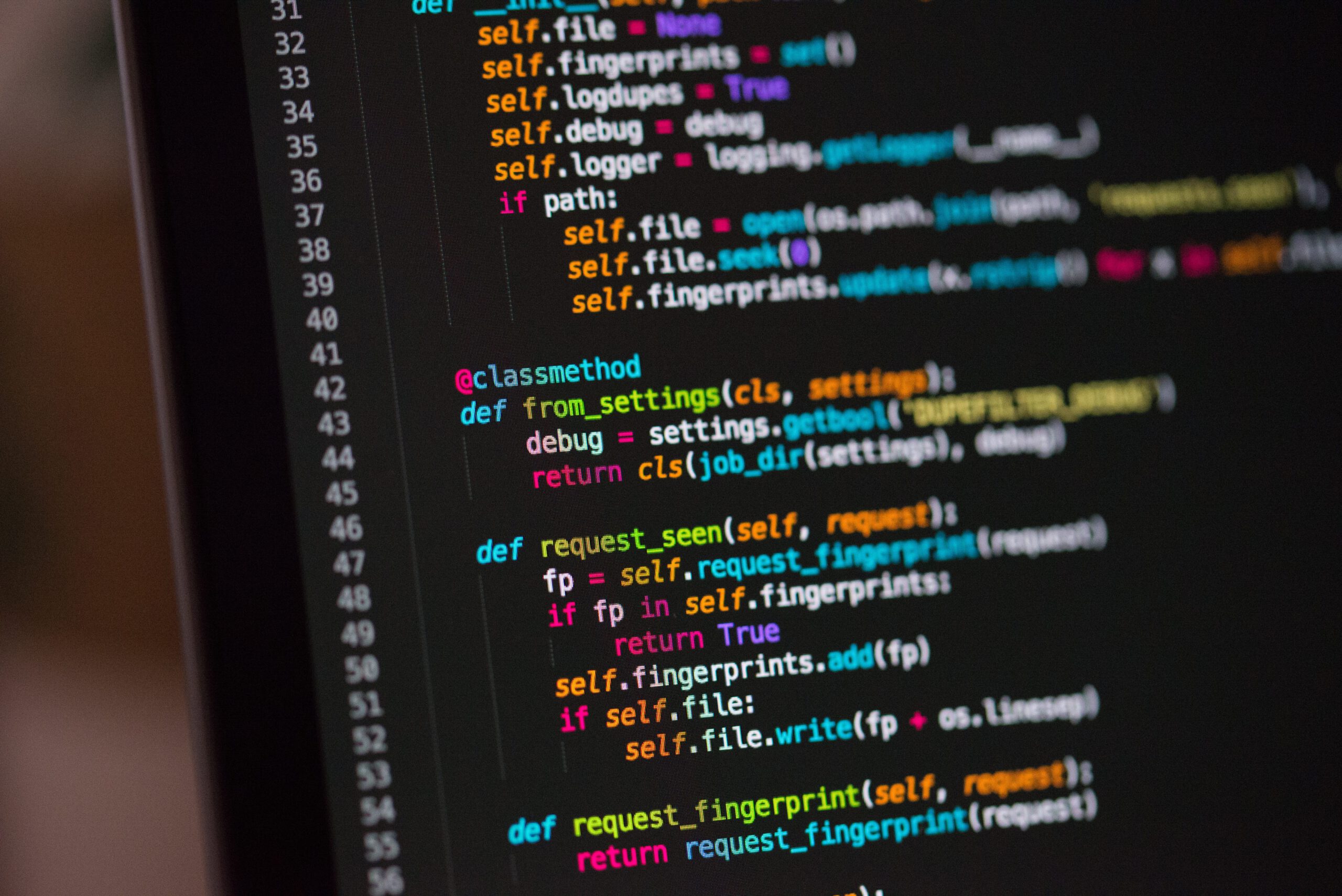
 Photo by Katerina Pavlyuchkova on Unsplash
Imagine you have an online retail shop that sells unique, all-occasion gifts. The online shop is so popular that it has a high volume of transactions every minute and second. You have the ambition to satisfy more current customers' needs and serve more new customers through analyzing buying habits about the current transactions, so this motivates you to dive into the data processing of the transaction records as the preparation.
Learn this step by step with the interactive Computer Science and Data Engineer roadmaps.
0 Mock data
We first mock some transaction data into a file using the JSON Lines (JSONL) text format, where each line is a separate JSON object. This format is appealing for data streaming in areas, such as web/ app analytics and log management.
In our file, the data fields belong to various data types. They include the customer and product identifiers (in integer/ array format), the payment method (in string format), and the total transaction amount (in float number).
python
import json
import random
import numpy as np
import datetime

# Remove existing 'retail_transactions.jsonl' file, if any
! rm -f /p/a/t/h retail_transactions.jsonl

# Set the no of transactions
no_of_iteration = 500000

# Open a file in write mode
with open('retail_transactions.jsonl', 'w') as f:
  for num in range(no_of_iteration):
    if (random.randint(1, 10000) != 5000):
      # Create a valid transaction
      new_txn = {
        'orderID': num,
        'customerID': random.randint(1, 100000),
        'productID': np.random.randint(10000, size=random.randint(1, 5)).tolist(),
        'paymentMthd': random.choice(['Credit card', 'Debit card', 'Digital wallet', 'Cash on delivery', 'Cryptocurrency']),
        'totalAmt': round(random.random() * 5000, 2),
        'invoiceTime': datetime.datetime.now().isoformat()
      }
    else:
      # Create an invalid transaction
      new_txn = {
        'orderID': "",
        'customerID': "",
        'productID': "",
        'paymentMthd': "",
        'totalAmt': "",
        'invoiceTime': ""
       }

     # Write the transaciton as a JSON line to the file
     f.write(json.dumps(new_txn) + "n")
You may discover several single transactions with blank data fields written to the file. This mimics the missing data issue, as one of the data quality issues often encountered in the real world.
1 Data ingestion - Yield
To read the transaction records from the file, one of the simplest approaches is to loop through the dataset into a list and then convert it into a Pandas DataFrame.
This method will work like a charm for the 500,000 transactions in our demo dataset. But what if the real-world datasets range from millions to even billions of rows? We may sit still for long to wait until the whole computation completes, if not leading to memory issues.
Sometimes we don't care about the entire results and want to process the initial results instead before the last record is loaded. In such cases, we can alternatively use yield to control the flow of a generator.
The generator does not store the entire records in memory. Instead, it gives a value one at a time and pauses the function execution until the next value is requested.
There are routines of interleaving user codes with library codes. It also enforces sequencing, which means you cannot access the second record before reaching the first. You can learn more about this concept in the Pydata talk video, which provides a detailed explanation.
The yield statement has different practical usages. For example, we can go through each line of the file and yield only the non-blank records. Below shows how we can execute real-time data filtering:
python
import json

def read_json_file(file_name):
  # Read the JSONL file
  with open(file_name) as f:
    for line in f:
      txn = json.loads(line)
      # Yield valid transactions only
      if (txn['orderID'] != ""):
        yield(txn)

txn_generator = read_json_file('retail_transactions.jsonl')
The output of these codes gives a Python generator, a special type of iterator. You can use the next function in a loop to return the subsequent items one by one. Apart from real-time data filtering, another idea is to design a generator function that pre-processes data and yields it in a pre-defined batch size, which can be parsed straightforwardly to feed a machine-learning model for training. And more, we can use it to asynchronously handle web requests and responses, when crawling web pages.
2 Data validation - Pydantic
Assume you have a list of JSON data that covers the information of transaction records after data ingestion. Here is a sample transaction:
json
{
 'orderID': 10000,
 'customerID': 48316,
 'productID': [5620],
 'paymentMthd': 'Cash on delivery',
 'totalAmt': 9301.2,
 'invoiceTime': '2024-06-10T23:30:29.608443',
 'price': -1
}
For each incoming data, we want to ensure it is being validated, otherwise, we will easily hit different types of errors when running the subsequent data processing functions. This can be achieved using pydantic library.
We first define the schema of our data fields using the Pydantic model, then validate our JSON data using model_validate() function.
python
from datetime import datetime
from pydantic import BaseModel, ValidationError

# Define the data model for a transaction record
class TxnModel(BaseModel):
  orderID: int
  customerID: int
  productID: list[int]
  paymentMthd: str
  totalAmt: float
  invoiceTime: datetime

try:
  # Validate the sample case against the schema
  TxnModel.model_validate(sample_txn)
  print("Validated successfully!")
except ValidationError as exc:
  # Print error messages for any validation error
  print("Validation Error:")
  print(exc.errors())

# Output:
# Validated successfully
Sometimes, we find the necessity to apply stricter validation rules. For example, the Pydantic base model attempts to coerce string data to an integer if possible. To avoid this, you can set strict=True at the model level or field level.
Besides, we can apply custom validation rules to data fields. For example, we may want to check if the payment method value is within our expectations. To facilitate testing, we manually set the payment method of the sample case to 'Bitcoin', which is a non-existent option in the online shop, and then use AfterValidator to embed a function for further checking.
python
from typing import Annotated
from pydantic.functional_validators import AfterValidator

# Customize the validation rule
def validate_payment_mthd(paymentMthd: str):
  possible_values = ['Credit card', 'Debit card', 'Digital wallet', 'Cash on delivery', 'Cryptocurrency']
  if paymentMthd not in possible_values:
    raise ValueError(f"Invalid paymentMthd, payment type must be one of {possible_values}")
  return storage

# Define the data model for a transaction record
class TxnModel(BaseModel):
  orderID: int = Field(strict=True)
  customerID: int
  productID: list[int]
  paymentMthd: Annotated[str, AfterValidator(validate_payment_mthd)]
  totalAmt: Annotated[float, Field(strict=True, gt=0)]
  invoiceTime: datetime

# Manually define a non-existent payment method
sample_txn['paymentMthd'] = 'Bitcoin'

try:
  # Validate the sample case against the schema
  TxnModel.model_validate(sample_txn)
  print("Validated successfully!")
except ValidationError as exc:
  # Print error messages for any validation error
  print("Validation Error:")
  print(exc.errors()[0]['ctx'])

# Output
# Validation Error:
# {'error': ValueError("Invalid paymentMthd, payment type must be one of ['Credit card', 'Debit card', 'Digital wallet', 'Cash on delivery', 'Cryptocurrency']")}
The validator successfully identifies that the payment method is not within the list of possible values. This is done by applying Pydantic's inner validation logic, followed by custom validation functions. The code raises a ValueError, which populates ValidationError.
When the error is triggered, we can have follow-up actions for rectification. These features help eliminate data errors, thus ensuring the accuracy and completeness of our data.
3 Data processing
(1) Python decorator
After data validation, we start working with data-intensive functions. There is a high chance of encountering lengthy execution times as the data pipeline becomes complex. We wish to identify the root cause and optimize the time performance of functions. One simple method is to collect two timestamps at the beginning and end of every function, and then calculate the time differences one by one.
To ensure the code is less cluttered throughout the data pipeline, we can leverage the Python decorator.
We first design a Python decorator that measures the execution time. Afterward, we annotate any function that requires this feature.
For example, you can measure the time taken to categorize prices for all transactions.
python
import time

# Measure the excution time of a given function
def time_decorator(func):
  def wrapper(*args, **kwargs):
    begin_time = time.time()
    output = func(*args, **kwargs)
    end_time = time.time()
    print(f"Execution time of function {func.__name__}: {round(end_time - begin_time, 2)} seconds.")
    return output
  return wrapper

# Categorize the total amount of each transaction
@time_decorator
def group_txn_price(data):
  for txn in data:
    price = txn['totalAmt']
    if 0 <= price <= 1500:
      txn['totalAmtCat'] = 'Low'
    elif 1500 < price <= 3500:
      txn['totalAmtCat'] = 'Moderate'
    elif 3500 < price:
      txn['totalAmtCat'] = 'High'
    return data

txn_list = group_txn_price(txn_list)

# Output
# Execution time of function group_txn_price: 0.26 seconds.
The decorator approach makes the code reusable without changing the source code of our original functions. Similarly, we can apply decorator ideas for logging function completion or email alerting when jobs encounter failure.
(2) Map, reduce, filter
These are commonly used Python array methods that many developers may be familiar with. But I still think they are worth mentioning due to several reasons: (1) immutable - the functions do not modify values of the original lists; (2) the chain flexibility - can apply a combination of functions simultaneously; and (3) concise and readable - with only one line of code.
Assume we have a list of JSON objects with only two keys: payment method and total amount. Let's explore some examples of how these functions work.
Map: Perform the same operation on all elements in the list (e.g. adding a suffix to the values of the payment method).
python
updated_txn_list = list(map(lambda x: {
                      'paymentMthd': f"{x['paymentMthd']}_2024",
                      "totalAmt": x["totalAmt"]
                   }, txn_list))

print(updated_txn_list)

# Output
# [{'paymentMthd': 'Cryptocurrency_2024', 'totalAmt': 3339.85},
# {'paymentMthd': 'Cash on delivery_2024', 'totalAmt': 872.52},
# ...]
Filter : Obtain a subset of elements that meet a certain condition(s) (e.g. only records with cryptocurrency as the payment method).
python
updated_txn_list = list(map(lambda x: x, filter(lambda y: y["paymentMthd"] == "Cryptocurrency", txn_list)))

print(updated_txn_list)

# Output
# [{'paymentMthd': 'Cryptocurrency', 'totalAmt': 3339.85},
# {'paymentMthd': 'Cryptocurrency', 'totalAmt': 576.15},
# ...]
Reduce : Get a single-valued outcome (e.g. summing or multiplying all elements).
python
from functools import reduce

total_amt_crypto = reduce(lambda acc, x: acc + x["totalAmt"], updated_txn_list, 0)

print(total_amt_crypto)

# Output
# 250353984.67000002
We can leverage these functions during the transformation steps in data science projects. For example, use map() to scale or normalize the data, use filter() to remove outliers and irrelevant data points, and reduce() to generate summary statistics.
4 Data pipeline testing - Pytest
Data pipelines often involve data ingestion, data cleansing, and Extract-Transform-Load (ETL) operations. The scope of potential errors can be broad and easily overlooked, especially as the model flow and result are hard for users to interpret. This leads to a heavier reliance on testing efforts by the development team.
It is common to conduct unit testing to ascertain each component of the machine learning system performs as expected.
One of the most popular Python testing frameworks is [Pytest](https://docs.pytest.org/en/stable/contents.html). Imagine we want to ensure the high-quality of transformed data that both technical teams and decision-makers can trust. We can test for the function that we have gone through about categorizing transaction prices. To achieve this, we need to prepare two Python files:
- feature_engineering.py : The file containing the previously built function
python
# Categorize the total amount of each transaction
def add_features(sample_cases):
  for txn in sample_cases:
    price = txn['totalAmt']
  if 0 <= price <= 1500:
    txn['totalAmtCat'] = 'Low'
  elif 1500 < price <= 3500:
    txn['totalAmtCat'] = 'Moderate'
  elif 3500 < price:
    txn['totalAmtCat'] = 'High'

return sample_cases
- test_feature_engineering.py : The file with the "test_" prefix, which Pytest will recognize for testing purposes only.
python
from feature_engineering import add_features

def test_add_features():
  sample_cases = [{
      'orderID': 1,
      'customerID': 36536,
      'productID': [2209, 2262, 4912, 3162, 5734],
      'paymentMthd': 'Cryptocurrency',
      'totalAmt': 576.15,
      'invoiceTime': '2024–06–10T23:53:25.329928'
    }]

  # Call the function with the sample cases
  sample_cases = add_features(sample_cases)

  # Check the assertations
  for txn in sample_cases:
    assert 'totalAmtCat' in list(txn.keys())
    assert len(txn) == 7
    assert len(txn['totalAmtCat']) != 0
The assert statements above ensure that the new 'totalAmtCat' data field is added with a non-blank value, and the original data fields are not affected. By executing the command Pytest, we can know that our test has passed!
 Pytest result - Test passed (Image by author)
For a more advanced case, let's say we have three functions with the following sequences:
Pytest result - Test passed (Image by author)
For a more advanced case, let's say we have three functions with the following sequences: load_data, clean_data, and add_features. How should we design the test file to validate the output of these functions one by one?
python
import pytest
import json
from feature_engineering import load_data, clean_data, add_features

# Set up a temporary JSONL file
@pytest.fixture
def jsonl_file(tmp_path):
  sample_cases = [{'orderID': 10000,
    'customerID': 48316,
    'productID': [5620],
    'paymentMthd': 'Cash on delivery',
    'totalAmt': 9301.2,
    'invoiceTime': '2024-06-10T23:30:29.608443',
    'price': -1
  }]

  file_path = tmp_path + "/test_transactions.jsonl"

  with open(file_path, 'w') as f:
    for txn in sample_cases:
        f.write(json.dumps(txn) + "n")

  return file_path

# Test function to validate the `load_data` function
def test_load_data(jsonl_file):
  data = load_data(jsonl_file)
  # assert statements here

# Test function to validate the `clean_data` function
def test_clean_data(jsonl_file):
  data = load_data(jsonl_file)
  data = clean_data(data)
  # assert statements here

# Test function to validate the `add_features` function
def test_add_features(jsonl_file):
  data = load_data(jsonl_file)
  data = clean_data(data)
  data = add_features(data)
  # assert statements here
We should define a fixed baseline for initialization, such as a JSON Lines file with sample test cases. Here we use @pytest.fixturedecorator, which works similarly to the time_decoratorwe discussed earlier in the Python decorator section. This decorator helps prevent repeatedly initializing the sample files. For the remaining codes, we involve several test functions to run the pipeline functions and use assert statements to detect logical errors.
Wrapping it up
We came across several critical aspects of data engineering projects, and explored how to simplify and streamline the Python code for efficiency and readability:
- Data ingestion, by using
yield to process large datasets with efficient memory usage.
- Data validation, by leveraging
Pydantic to validate data fields based on schema and customized value patterns.
- Data processing, by applying Python decorator and built-in libraries to enable additional functionalities without repeated codes.
- Pipeline testing, by using
Pytest to ensure high-quality function outputs throughout the workflow.
Before you go
If you enjoy this reading, I invite you to **** follow my Medium page and LinkedIn page. By doing so, you can stay updated with exciting content related to data science side projects, Machine Learning Operations (MLOps) demonstrations, and project management methodologies.
Performing Customer Analytics with LangChain and LLMs
Feature Engineering for Time-Series Using PySpark on Databricks
Register Now to Continue Reading
Unlock Towards Data Science with a Free Account
All articles on Towards Data Science are available to registered users. Create a free account today to access this article and thousands more.
Register for freeSign in to your account
 Written By
See all from John Leung
Big DataData EngineeringProgrammingPythonTips And Tricks
Share This Article
Towards Data Science is a community publication. Submit your insights to reach our global audience and earn through the TDS Author Payment Program.
Write for TDS
Related Articles
Enable end-users to provide their inputs that can then be used as overrides/additional context in the final analytical solution
Isha Garg
November 17, 20237 min read
Programming
How to clone your delta lake tables easily using Spark.
Prashanth Xavier
March 14, 20215 min read
Programming
Learn how to read a CSV file and create a Pandas DataFrame
Dean McGrath
February 2, 20218 min read
Artificial Intelligence
A comprehensive guide to handle missing
Soner Yıldırım
June 13, 20205 min read
Artificial Intelligence
Using virtualenv and pipenv tools
Soner Yıldırım
January 3, 20214 min read
Machine Learning
Coding an example of self-training in Python to utilize unlabeled data for classification
Doug Steen
August 30, 20208 min read
Programming
Integrating HashiCorp Vault with Apache Airflow
Giorgos Myrianthous
June 3, 20224 min read
Programming
Tips, Tricks, and Advice from a Coding Bootcamp Survivor
Jesse Neumann
July 22, 20208 min read
Security
Big Data Solution A deep dive into the security issues that occur in HDFS structure,...
KahEm Chu
December 4, 202015 min read
Your home for data science and AI. The world's leading publication for data science, data analytics, data engineering, machine learning, and artificial intelligence professionals.
Subscribe to Our NewsletterWrite For TDS•About•Advertise•Privacy Policy•Terms of Use
© Insight Media Group, LLC 2026•The New Stack•roadmap.sh•Creator Network
Recommended Articles
Close