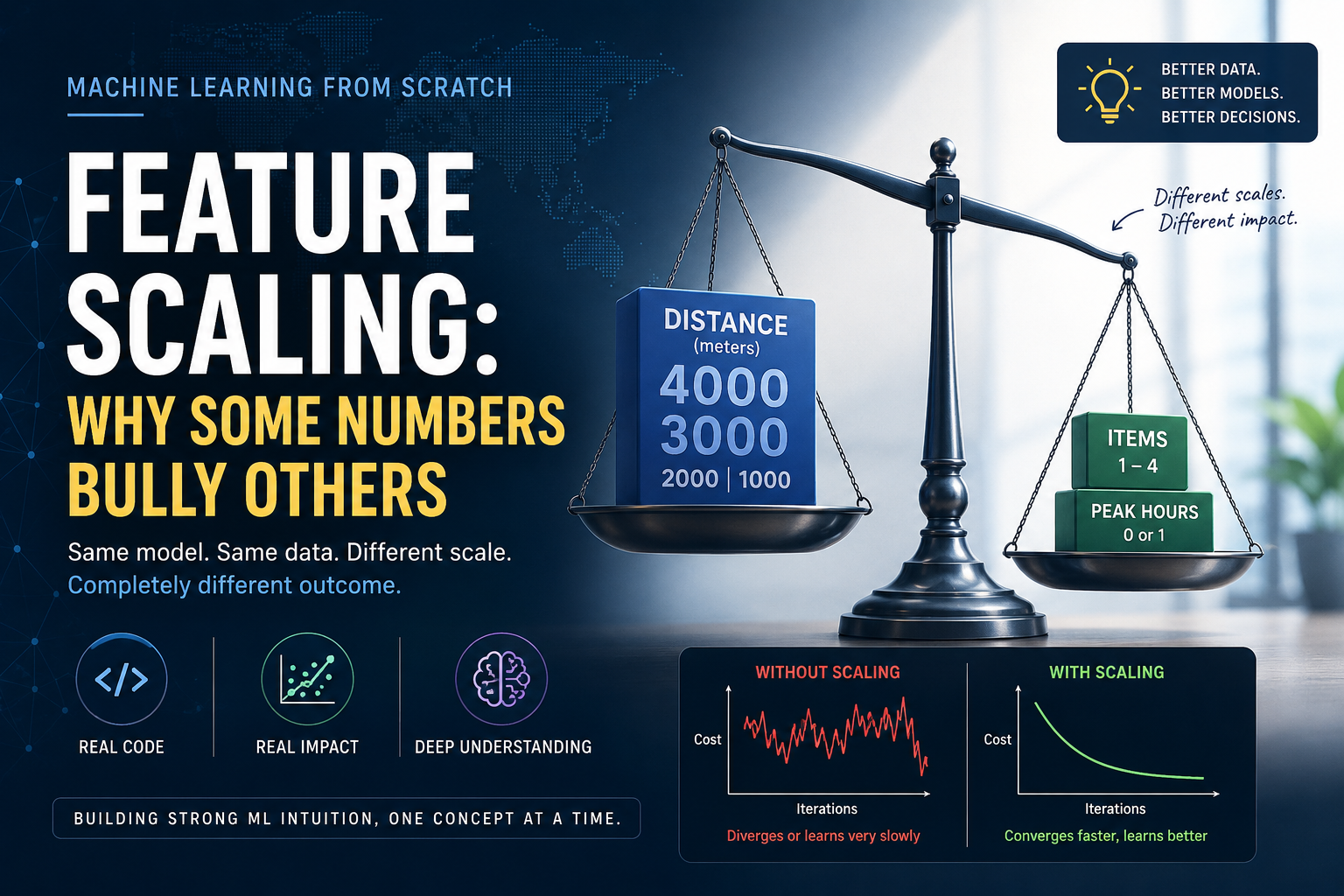
Take the exact same model, the exact same data, the exact same code. Change one thing: write the distance column in meters instead of kilometers. Nothing else moves. Run it, and the model doesn't just learn a little worse. It falls apart completely, spitting out numbers so large your computer can't even hold them, in under 60 steps.
That's not a bug. That's what this post is about.
A quick note first. I'd originally planned to show this by adding a fourth input, the price of the order. But the more I sat with it, the less I believed it. There's no honest reason the price someone paid should change how long their food takes to arrive, so it would've been a made-up example standing in for a real problem. The real problem doesn't need a made-up example. It shows up the moment two ordinary numbers happen to live on different scales, which is exactly what changing kilometers to meters does. Same orders, same data, just a different ruler.
Here's our familiar delivery table — the exact same five orders we've used since the multiple linear regression post. Nothing about the deliveries changed. The only thing that changed is how we wrote down the distance: instead of 1, 2, 3, 2, and 4 kilometers, it's now 1000, 2000, 3000, 2000, and 4000 meters. Same real-world trip, same real-world time, just a different ruler.
| Distance (x1, meters) | Items (x2) | Peak Hours (x3) | Actual Time (min) |
|---|---|---|---|
| 1000 | 2 | 0 | 16 |
| 2000 | 1 | 1 | 29 |
| 3000 | 3 | 0 | 28 |
| 2000 | 4 | 1 | 35 |
| 4000 | 2 | 0 | 31 |
Look at how differently these three columns are dressed. Distance struts around in the thousands. Items barely leaves single digits. Peak hours never wears anything but a 0 or a 1. Same orders as before, same real-world distances, just measured with a different ruler, and already something feels off.
Here's a small way to feel why that matters, before we touch any code.
Say you're filling two containers with the same jug, one scoop at a time. One container is a large bucket. The other is a small mug. Pour one scoop into the bucket, and the water barely rises. Pour that same scoop into the mug, and it overflows. The scoop wasn't wrong — the two containers were just never built on the same scale.
Gradient descent runs into exactly this problem. Every post so far, we've talked about it taking a step, sized by something called the learning rate, and adjusting every weight by that same step, every round. One step size, applied to a number in the thousands and a number that's only ever 0 or 1. A step that's sensible for one is going to be wildly wrong for the other, and gradient descent doesn't get to pick a different size for each.
We already built a gradient_descent function two posts ago. Let's not touch a single line of it, and just hand it this new table.
import numpy as np

def gradient_descent(X, y, w, b, learning_rate, iterations):
    m = len(y)
    for _ in range(iterations):
        predictions = X.dot(w) + b
        errors = predictions - y
        gradient_w = X.T.dot(errors) / m
        gradient_b = np.sum(errors) / m
        w = w - learning_rate * gradient_w
        b = b - learning_rate * gradient_b
    return w, b

X = np.array([
    [1000, 2, 0],
    [2000, 1, 1],
    [3000, 3, 0],
    [2000, 4, 1],
    [4000, 2, 0],
])
actual_times = np.array([16, 29, 28, 35, 31])
Last post, a learning rate of 0.05 worked beautifully. Same rate, same code, new table:
w, b = gradient_descent(X, actual_times, np.zeros(3), 0.0, learning_rate=0.05, iterations=100)
By the 56th step, the weights have already grown too large for the computer to represent as real numbers. Nothing about our code changed. Only the unit distance was measured in did, and that alone was enough to break it.
So we shrink the learning rate, over and over, hunting for one small enough to survive. Here's where that hunt lands:
| Learning rate | What happens after 20,000 steps |
|---|---|
| 0.0000005 | still breaks, by step 798 |
| 0.00000025 | survives, but barely learns anything, stuck at a cost of 41.70 |
That second number is small enough to survive. It's also so small that after 20,000 steps, it still hasn't found a good fit. And here's the part that stings: nudge it up by about a quarter, to 0.00000032, and it breaks again, this time by step 4,301.
This is the real cost of leaving your numbers on mismatched scales. It's not just slower training. You get boxed into a learning rate so narrow that even the safest setting barely teaches the model anything.
If two numbers being on wildly different scales is the whole problem, the fix writes itself: bring every feature onto a similar scale before training even starts. Three common ways to do that.
Min-Max Scaling squeezes every value into the range 0 to 1.
x scaled = (x - minimum) / (maximum - minimum)
Mean Normalization does something similar, but centers the values around 0 instead of starting at 0.
x scaled = (x - mean) / (maximum - minimum)
Z-score Standardization uses how spread out the data actually is, its standard deviation, instead of just its range.
x scaled = (x - mean) / standard deviation
After this, a feature ends up with an average of 0 and a standard deviation of 1. It's not the only valid choice, and min-max scaling is common too, but for this post we'll go with Z-score standardization because it pairs nicely with the gradient descent example we're about to rerun.
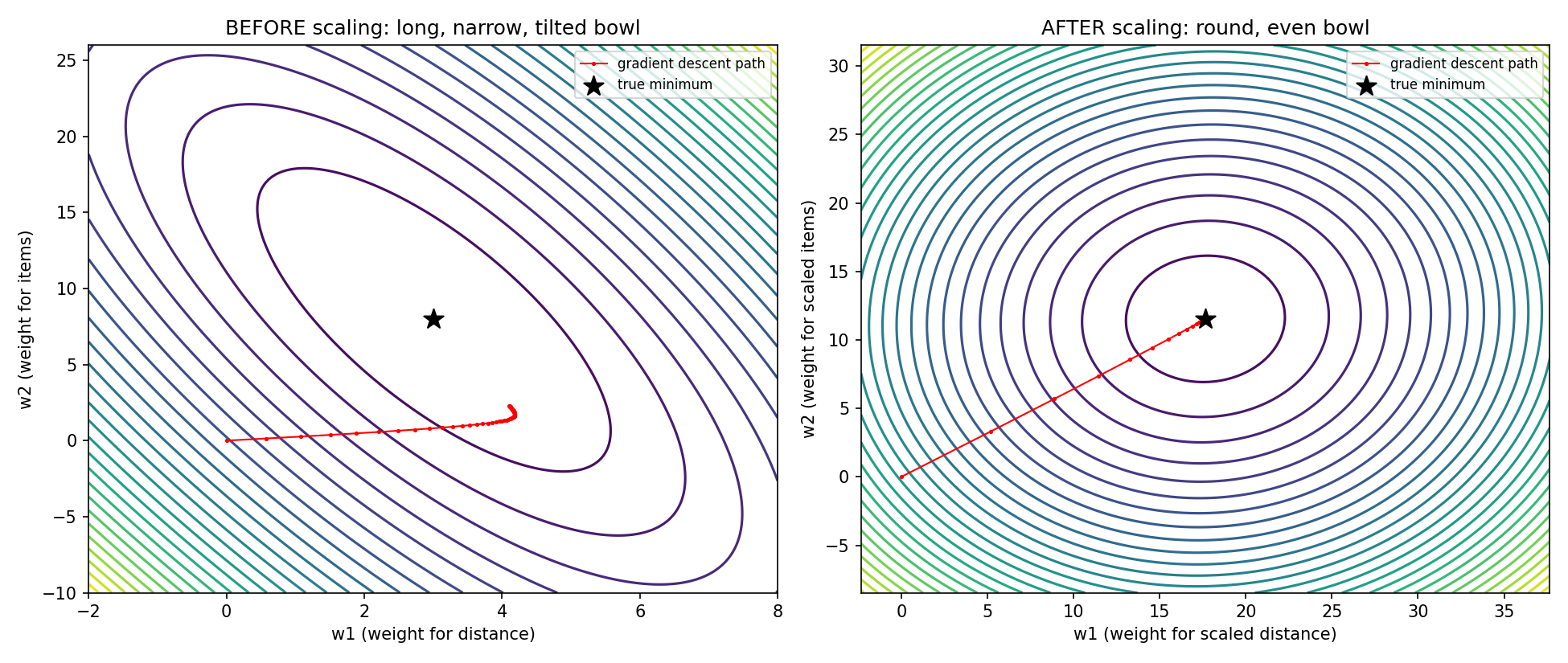
If you picture the cost function as a bowl-shaped surface, the kind we drew back in the cost function post, unscaled data stretches that bowl into a long, narrow oval, squeezed almost flat along one direction. Gradient descent, walking downhill on that shape, keeps overshooting from one steep wall to the other instead of walking straight to the bottom. Scaling reshapes that oval back into something closer to a circle, so downhill actually points toward the answer.
Let's use our own distance column to see all three in action: 1000, 2000, 3000, 2000, and 4000 meters.
The minimum is 1000, the maximum is 4000, the mean is 2400, and the standard deviation works out to about 1019.80.
Let's scale one value, 3000 m (the third order), using all three formulas.
Min-Max:   (3000 - 1000) / (4000 - 1000) = 2000 / 3000 = 0.6667
Mean Norm: (3000 - 2400) / (4000 - 1000) = 600 / 3000 = 0.2000
Z-score:   (3000 - 2400) / 1019.80 = 600 / 1019.80 = 0.5883
A number that used to sit in the thousands now lands somewhere small, close to items and peak hours. That's exactly what we needed.
The plain Python version of all three:
def min_max_scale(values):
    v_min = min(values)
    v_max = max(values)
    return [(v - v_min) / (v_max - v_min) for v in values]

def mean_normalize(values):
    v_min = min(values)
    v_max = max(values)
    v_mean = sum(values) / len(values)
    return [(v - v_mean) / (v_max - v_min) for v in values]

def z_score_scale(values):
    v_mean = sum(values) / len(values)
    variance = sum((v - v_mean) ** 2 for v in values) / len(values)
    v_std = variance ** 0.5
    return [(v - v_mean) / v_std for v in values]

distance_m = [1000, 2000, 3000, 2000, 4000]

print(min_max_scale(distance_m))
print(mean_normalize(distance_m))
print(z_score_scale(distance_m))
And the NumPy version, which scales a whole table in one line:
def z_score_scale_np(x):
    return (x - x.mean(axis=0)) / x.std(axis=0)

X_scaled = z_score_scale_np(X.astype(float))
X is a full table now, not a single column, so x.mean(axis=0) and x.std(axis=0) work out a separate mean and spread for each column on its own. Distance gets measured against distance's own spread, items against items', and so on. Our 3000 m example above matches this exactly.
Same unchanged gradient_descent function. This time, a learning rate of 0.1, which the unscaled table couldn't have survived at any size.
w, b = gradient_descent(X_scaled, actual_times, np.zeros(3), 0.0, learning_rate=0.1, iterations=500)
Here's how the walk went, checked along the way:
| Steps | w1 | w2 | w3 | b | Cost |
|---|---|---|---|---|---|
| 20 | 3.897 | 2.014 | 3.718 | 24.420 | 8.171 |
| 60 | 5.025 | 2.059 | 4.824 | 27.750 | 0.005855 |
| 100 | 5.094 | 2.041 | 4.894 | 27.799 | 0.0000187 |
| 200 | 5.099 | 2.040 | 4.899 | 27.800 | ≈0 |
| 500 | 5.099 | 2.040 | 4.899 | 27.800 | ≈0 |
Two things worth pausing on.
The bias b lands on 27.8 almost right away and never moves again. That's the plain average of our five delivery times, (16+29+28+35+31)/5. Once every input sits centered around 0, all b has left to represent is the average outcome, and gradient descent finds that almost instantly.
And notice the learning rate itself. We can push it all the way to 1.5 and this still learns cleanly. Only past that does it start to break. Compare that to the unscaled version, which broke the moment we nudged past 0.00000032. On this particular dataset, scaling didn't just make training faster, it let us use a learning rate roughly six million times larger, on the exact same orders. That ratio isn't a universal law of scaling — it's just how much room this one dataset had been wasting.
One more thing: these scaled weights aren't readable anymore as "minutes per kilometer." They're attached to standardized versions of the inputs now, not the raw ones. But undo the standardization, and they land right back on w1 = 5, w2 = 2, w3 = 10, the exact numbers our very first multi-input model found by hand, a couple of posts ago, just reached this time in a few hundred steps instead of ten thousand.
Once you scale your training data, any new order you want a prediction for has to be scaled the same way, using the same minimum, maximum, mean, and standard deviation you calculated from training, never freshly calculated ones. Say a new order comes in at 6000 m, 3 items, off-peak. You'd scale that 6000 against our training mean of 2400 and standard deviation of 1019.80, landing at about 3.530, not against whatever a brand new batch of orders happens to average out to. Otherwise you'd be comparing a number measured on one ruler to weights that were learned using a completely different one.
One small unit change, kilometers to meters, was enough to take a learning rate that worked perfectly and make it useless. Three formulas you could compute by hand fixed it.
But every model we've built so far, all the way back to the very first post, has assumed the answer is a straight line. What happens when the pattern in the data genuinely isn't straight at all, when a very long delivery might not even use the same kind of vehicle as a short one? That's next.
Full code for this post: https://github.com/tharun-pandya/Machine-Learning-Blog-Series/blob/main/Feature_Scaling.ipynb
See you in the next one.