保留正文与补采附件。源页面当前未重新核验;具体限制见交付清单。
 We value your privacy
We use cookies to enhance your browsing experience, serve personalised ads or content, and analyse our traffic. By clicking "Accept All", you consent to our use of cookies.
Customise Reject All Accept All
Customise Consent Preferences
We value your privacy
We use cookies to enhance your browsing experience, serve personalised ads or content, and analyse our traffic. By clicking "Accept All", you consent to our use of cookies.
Customise Reject All Accept All
Customise Consent Preferences  We use cookies to help you navigate efficiently and perform certain functions. You will find detailed information about all cookies under each consent category below.
The cookies that are categorised as "Necessary" are stored on your browser as they are essential for enabling the basic functionalities of the site. ... Show more
NecessaryAlways Active
Necessary cookies are required to enable the basic features of this site, such as providing secure log-in or adjusting your consent preferences. These cookies do not store any personally identifiable data.
We use cookies to help you navigate efficiently and perform certain functions. You will find detailed information about all cookies under each consent category below.
The cookies that are categorised as "Necessary" are stored on your browser as they are essential for enabling the basic functionalities of the site. ... Show more
NecessaryAlways Active
Necessary cookies are required to enable the basic features of this site, such as providing secure log-in or adjusting your consent preferences. These cookies do not store any personally identifiable data.
-
Cookie
BCTempID
-
Duration
10 minutes
-
Description
No description available.
-
Cookie
__cf_bm
-
Duration
1 hour
-
Description
This cookie, set by Cloudflare, is used to support Cloudflare Bot Management.
-
Cookie
AWSALBCORS
-
Duration
7 days
-
Description
Amazon Web Services set this cookie for load balancing.
-
Cookie
_cfuvid
-
Duration
session
-
Description
Cloudflare sets this cookie to track users across sessions to optimize user experience by maintaining session consistency and providing personalized services
-
Cookie
li_gc
-
Duration
6 months
-
Description
Linkedin set this cookie for storing visitor's consent regarding using cookies for non-essential purposes.
-
Cookie
__hssrc
-
Duration
session
-
Description
This cookie is set by Hubspot whenever it changes the session cookie. The __hssrc cookie set to 1 indicates that the user has restarted the browser, and if the cookie does not exist, it is assumed to be a new session.
-
Cookie
__hssc
-
Duration
1 hour
-
Description
HubSpot sets this cookie to keep track of sessions and to determine if HubSpot should increment the session number and timestamps in the __hstc cookie.
-
Cookie
wpEmojiSettingsSupports
-
Duration
session
-
Description
WordPress sets this cookie when a user interacts with emojis on a WordPress site. It helps determine if the user's browser can display emojis properly.
-
Cookie
BCSessionID
-
Duration
1 year 1 month 4 days
-
Description
Blueconic sets this cookie as a unique identifier for the BlueConic profile.
-
Cookie
_octo
-
Duration
1 year
-
Description
No description available.
-
Cookie
logged_in
-
Duration
1 year
-
Description
No description available.
-
Cookie
__Secure-YEC
-
Duration
past
-
Description
YouTube sets this cookie to stores the user's video player preferences using embedded YouTube video
-
Cookie
__eoi
-
Duration
6 months
-
Description
Description is currently not available.
-
Cookie
AWSALBTGCORS
-
Duration
7 days
-
Description
No description available.
-
Cookie
login-status-p
-
Duration
past
-
Description
Description is currently not available.
-
Cookie
AWSALBTG
-
Duration
7 days
-
Description
No description available.
-
Cookie
csrf_token
-
Duration
session
-
Description
No description available.
-
Cookie
token_v2
-
Duration
1 day
-
Description
Description is currently not available.
-
Cookie
D
-
Duration
1 year
-
Description
Description is currently not available.
-
Cookie
PHPSESSID
-
Duration
session
-
Description
This cookie is native to PHP applications. The cookie stores and identifies a user's unique session ID to manage user sessions on the website. The cookie is a session cookie and will be deleted when all the browser windows are closed.
-
Cookie
VISITOR_PRIVACY_METADATA
-
Duration
6 months
-
Description
YouTube sets this cookie to store the user's cookie consent state for the current domain.
-
Cookie
cookietest
-
Duration
session
-
Description
The cookietest cookie is typically used to determine whether the user's browser accepts cookies, essential for website functionality and user experience.
-
Cookie
__Host-airtable-session
-
Duration
1 year
-
Description
This cookie is used to enable us to integrate the services of Airtable.
-
Cookie
__Host-airtable-session.sig
-
Duration
1 year
-
Description
This cookie is used to enable us to integrate the services of Airtable.
-
Cookie
m
-
Duration
1 year 1 month 4 days
-
Description
Stripe sets this cookie for fraud prevention purposes. It identifies the device used to access the website, allowing the website to be formatted accordingly.
-
Cookie
BIGipServer*
-
Duration
session
-
Description
Marketo sets this cookie to collect information about the user's online activity and build a profile about their interests to provide advertisements relevant to the user.
-
Cookie
__cfruid
-
Duration
session
-
Description
Cloudflare sets this cookie to identify trusted web traffic.
-
Cookie
_GRECAPTCHA
-
Duration
6 months
-
Description
Google Recaptcha service sets this cookie to identify bots to protect the website against malicious spam attacks.
-
Cookie
__Secure-YNID
-
Duration
6 months
-
Description
Google cookie used to protect user security and prevent fraud, especially during the login process.
-
Cookie
cookieyes-consent
-
Duration
1 year
-
Description
CookieYes sets this cookie to remember users' consent preferences so that their preferences are respected on subsequent visits to this site. It does not collect or store any personal information about the site visitors.
Functional
Functional cookies help perform certain functionalities like sharing the content of the website on social media platforms, collecting feedback, and other third-party features.
-
Cookie
lidc
-
Duration
1 day
-
Description
LinkedIn sets the lidc cookie to facilitate data center selection.
-
Cookie
brw
-
Duration
1 year
-
Description
No description available.
-
Cookie
brwConsent
-
Duration
5 minutes
-
Description
Description is currently not available.
-
Cookie
WMF-Uniq
-
Duration
1 year
-
Description
Description is currently not available.
-
Cookie
loom_anon_comment
-
Duration
1 year
-
Description
No description available.
-
Cookie
loom_referral_video
-
Duration
session
-
Description
Description is currently not available.
-
Cookie
VISITOR_INFO1_LIVE
-
Duration
6 months
-
Description
A cookie set by YouTube to measure bandwidth that determines whether the user gets the new or old player interface.
-
Cookie
yt-remote-connected-devices
-
Duration
Never Expires
-
Description
YouTube sets this cookie to store the user's video preferences using embedded YouTube videos.
-
Cookie
ytidb::LAST_RESULT_ENTRY_KEY
-
Duration
Never Expires
-
Description
The cookie ytidb::LAST_RESULT_ENTRY_KEY is used by YouTube to store the last search result entry that was clicked by the user. This information is used to improve the user experience by providing more relevant search results in the future.
-
Cookie
yt-remote-device-id
-
Duration
Never Expires
-
Description
YouTube sets this cookie to store the user's video preferences using embedded YouTube videos.
-
Cookie
yt-remote-session-name
-
Duration
session
-
Description
The yt-remote-session-name cookie is used by YouTube to store the user's video player preferences using embedded YouTube video.
-
Cookie
yt-remote-fast-check-period
-
Duration
session
-
Description
The yt-remote-fast-check-period cookie is used by YouTube to store the user's video player preferences for embedded YouTube videos.
-
Cookie
yt-remote-session-app
-
Duration
session
-
Description
The yt-remote-session-app cookie is used by YouTube to store user preferences and information about the interface of the embedded YouTube video player.
-
Cookie
yt-remote-cast-available
-
Duration
session
-
Description
The yt-remote-cast-available cookie is used to store the user's preferences regarding whether casting is available on their YouTube video player.
-
Cookie
yt-remote-cast-installed
-
Duration
session
-
Description
The yt-remote-cast-installed cookie is used to store the user's video player preferences using embedded YouTube video.
-
Cookie
cp_session
-
Duration
3 months
-
Description
Codepen sets this cookie for Help systems found in the website.
-
Cookie
loid
-
Duration
1 year 1 month 4 days
-
Description
This cookie is set by the Reddit. The cookie enables the sharing of content from the website onto the social media platform.
Analytics
Analytical cookies are used to understand how visitors interact with the website. These cookies help provide information on metrics such as the number of visitors, bounce rate, traffic source, etc.
-
Cookie
__hstc
-
Duration
6 months
-
Description
Hubspot set this main cookie for tracking visitors. It contains the domain, initial timestamp (first visit), last timestamp (last visit), current timestamp (this visit), and session number (increments for each subsequent session).
-
Cookie
hubspotutk
-
Duration
6 months
-
Description
HubSpot sets this cookie to keep track of the visitors to the website. This cookie is passed to HubSpot on form submission and used when deduplicating contacts.
-
Cookie
_ga
-
Duration
1 year 1 month 4 days
-
Description
Google Analytics sets this cookie to calculate visitor, session and campaign data and track site usage for the site's analytics report. The cookie stores information anonymously and assigns a randomly generated number to recognise unique visitors.
-
Cookie
ga*
-
Duration
1 year 1 month 4 days
-
Description
Google Analytics sets this cookie to store and count page views.
-
Cookie
__Host-psifi.analyticsTrace
-
Duration
6 hours
-
Description
Description is currently not available.
-
Cookie
__Host-psifi.analyticsTraceV2
-
Duration
6 hours
-
Description
Description is currently not available.
-
Cookie
_gh_sess
-
Duration
session
-
Description
GitHub sets this cookie for temporary application and framework state between pages like what step the user is on in a multiple step form.
-
Cookie
YSC
-
Duration
session
-
Description
YSC cookie is set by Youtube and is used to track the views of embedded videos on Youtube pages.
-
Cookie
ajs_anonymous_id
-
Duration
1 year
-
Description
This cookie is set by Segment to count the number of people who visit a certain site by tracking if they have visited before.
-
Cookie
vuid
-
Duration
1 year 1 month 4 days
-
Description
Vimeo installs this cookie to collect tracking information by setting a unique ID to embed videos on the website.
Performance
Performance cookies are used to understand and analyse the key performance indexes of the website which helps in delivering a better user experience for the visitors.
-
Cookie
AWSALB
-
Duration
7 days
-
Description
AWSALB is an application load balancer cookie set by Amazon Web Services to map the session to the target.
-
Cookie
acq
-
Duration
past
-
Description
Description is currently not available.
-
Cookie
acq.sig
-
Duration
past
-
Description
Description is currently not available.
-
Cookie
ptc
-
Duration
2 years
-
Description
No description available.
Advertisement
Advertisement cookies are used to provide visitors with customised advertisements based on the pages you visited previously and to analyse the effectiveness of the ad campaigns.
-
Cookie
muc_ads
-
Duration
1 year 1 month 4 days
-
Description
Twitter sets this cookie to collect user behaviour and interaction data to optimize the website.
-
Cookie
guest_id_marketing
-
Duration
1 year 1 month 4 days
-
Description
Twitter sets this cookie to identify and track the website visitor.
-
Cookie
guest_id_ads
-
Duration
1 year 1 month 4 days
-
Description
Twitter sets this cookie to identify and track the website visitor.
-
Cookie
personalization_id
-
Duration
1 year 1 month 4 days
-
Description
Twitter sets this cookie to integrate and share features for social media and also store information about how the user uses the website, for tracking and targeting.
-
Cookie
guest_id
-
Duration
1 year 1 month 4 days
-
Description
Twitter sets this cookie to identify and track the website visitor. It registers if a user is signed in to the Twitter platform and collects information about ad preferences.
-
Cookie
bcookie
-
Duration
1 year
-
Description
LinkedIn sets this cookie from LinkedIn share buttons and ad tags to recognize browser IDs.
-
Cookie
__Secure-ROLLOUT_TOKEN
-
Duration
6 months
-
Description
YouTube sets this cookie to manage feature rollout and experimentation. It helps Google control which new features or interface changes are shown to users as part of testing and staged rollouts, ensuring consistent experience for a given user during an experiment.
-
Cookie
yt.innertube::nextId
-
Duration
Never Expires
-
Description
YouTube sets this cookie to register a unique ID to store data on what videos from YouTube the user has seen.
-
Cookie
yt.innertube::requests
-
Duration
Never Expires
-
Description
YouTube sets this cookie to register a unique ID to store data on what videos from YouTube the user has seen.
-
Cookie
session_tracker
-
Duration
session
-
Description
This cookie is set by the Reddit. This cookie is used to identify trusted web traffic. It also helps in adverstising on the website.
-
Cookie
edgebucket
-
Duration
session
-
Description
Reddit sets this cookie to save the information about a log-on Reddit user, for the purpose of advertisement recommendations and updating the content.
-
Cookie
did
-
Duration
1 year
-
Description
Arbor sets this cookie to show targeted ads to site visitors.This cookie expires after 2 months or 1 year.
Uncategorised
Other uncategorised cookies are those that are being analysed and have not been classified into a category as yet.
No cookies to display.
Reject All Save My Preferences Accept All
Toggle SearchToggle Mobile Navigation
Publish AI, ML & data-science insights to a global community of data professionals.
Sign inSubmit an Article
LatestEditor's PicksNewsletterShipAI
Write For TDS
LinkedInXToggle Search
Data Engineering
Your Model Isn't Done Until Someone Else Can Call It
Building a FastAPI endpoint for churn prediction, and everything that broke between "it runs" and "it's live"
Ibrahim Salami
September 13, 20269 min read
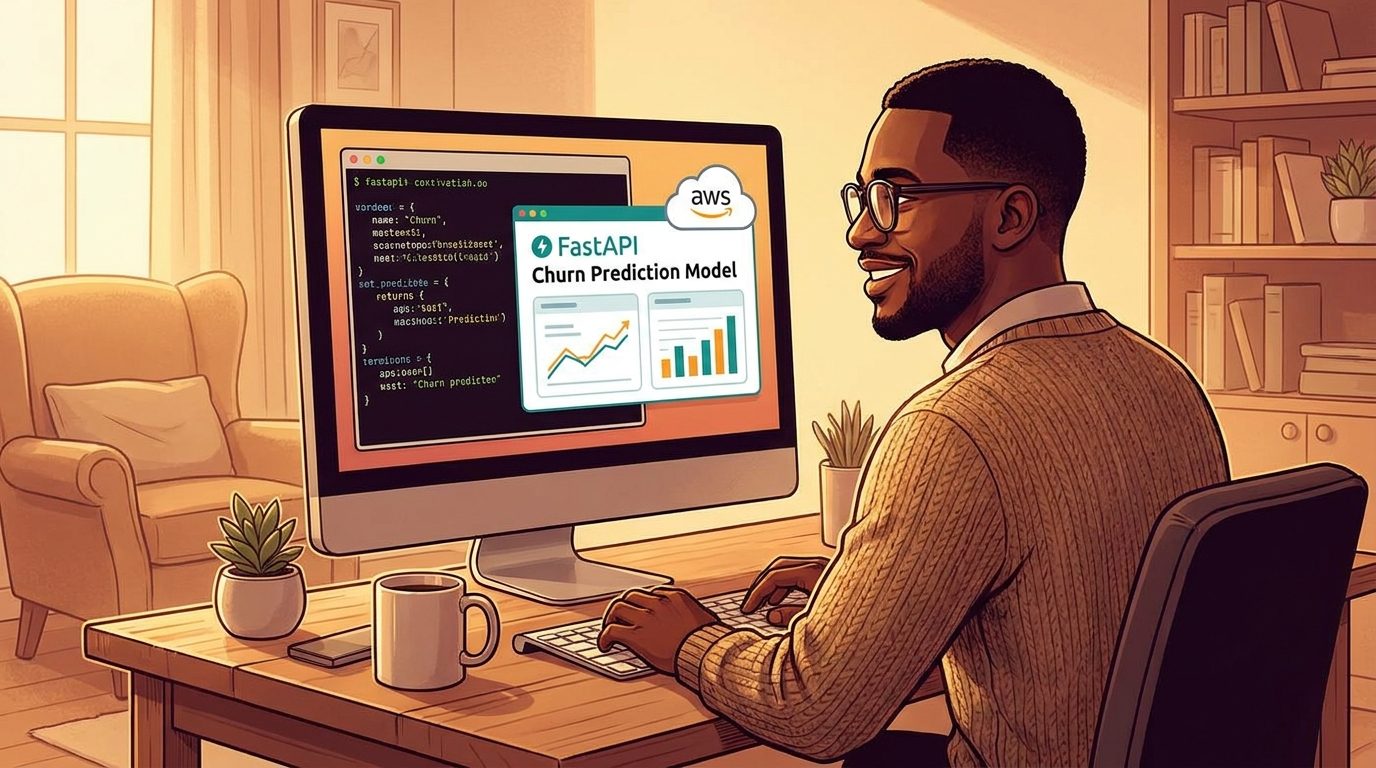 Generated with AI
To give you context, I got curious about what goes into building and deploying machine learning models. So, rather than learn theory. As always, I decided to learn by building, because I still believe this is the best way to learn. The first project I chose to tackle was a churn predictor api.
It's a small FastAPI app I built to predict whether a customer is about to churn. How it works is that, you feed it a customer's data, it hands back a probability, a prediction, and a risk level. In my previous article, I trained the model, wrapped it in an endpoint, and tested it in Swagger UI on my own laptop. It worked and every request came back with a real answer. You can read the article here. At this point, I thought I was done with it.
Not even close. It turns out that the model I built isn’t useful in any way. It's just another toy only I can play around with. It couldn’t survive my laptop going to sleep, let alone being reachable by an actual stranger typing in a URL.
So I’m going to be addressing this issue in this article. I'll be going through the unglamorous work of making it reachable. So, I’ll be walking you through how I containerized it, and moved it to a real server. By the way, I also ran into three separate failures I didn't see coming, which I’ll also point out in this article.
Learn this step by step with the interactive Data Engineer roadmap.
Generated with AI
To give you context, I got curious about what goes into building and deploying machine learning models. So, rather than learn theory. As always, I decided to learn by building, because I still believe this is the best way to learn. The first project I chose to tackle was a churn predictor api.
It's a small FastAPI app I built to predict whether a customer is about to churn. How it works is that, you feed it a customer's data, it hands back a probability, a prediction, and a risk level. In my previous article, I trained the model, wrapped it in an endpoint, and tested it in Swagger UI on my own laptop. It worked and every request came back with a real answer. You can read the article here. At this point, I thought I was done with it.
Not even close. It turns out that the model I built isn’t useful in any way. It's just another toy only I can play around with. It couldn’t survive my laptop going to sleep, let alone being reachable by an actual stranger typing in a URL.
So I’m going to be addressing this issue in this article. I'll be going through the unglamorous work of making it reachable. So, I’ll be walking you through how I containerized it, and moved it to a real server. By the way, I also ran into three separate failures I didn't see coming, which I’ll also point out in this article.
Learn this step by step with the interactive Data Engineer roadmap.
Quick recap of where Part A left off
This project implements a FastAPI app churn-api. It provides a simple /predict endpoint that uses a pre-trained scikit-learn pipeline consisting of a scaler and a classifier. This is used to predict the likelihood of a given customer churning. If you are new to the project, I recommend starting with Part A, as this article continues from there.
Why Docker
So here is the problem. Sure the project works perfectly on my computer, the issue is that it has a specific python version, specific package versions, specific file paths which someone else's computer on which it would be deployed on or an AWS server might not have.
Docker solves this. Here is how: Instead of delivering just code which hopefully works after the machine is set correctly (which is an issue for another day), the deliverable now is a self-sufficient image that runs on any computer and on whose environment (python version, various libraries required, folder structure) no longer has an effect. This is because all of this ships with the image itself so now nothing is needed to be set by the receiver.
Writing the Dockerfile and what broke
Before I even started writing the Dockerfile, I wanted to make sure I knew exactly what was installed in my local environment. The goal was to use the same package versions inside the container, rather than letting pip install whatever happened to be the latest version at the time.
At first, I tried using conda list, but it wasn't giving me the clean list of package versions I needed. So I switched to pip freeze, which gave me the exact versions of the packages I was actually working with:
plaintext
fastapi==0.141.1

uvicorn[standard]==0.40.0

scikit-learn==1.9.0

pandas==3.0.3

numpy==2.4.6

pydantic==2.13.4

joblib==1.5.3
And there was one more detail that turned out to matter: I was running Python 3.14.6 locally, which is pretty new. So I couldn't just reach for the usual python:3.11-slim base image out of habit. If I wanted the container to match my local environment as closely as possible, the Dockerfile needed to use Python 3.14 as well.
dockerfile
FROM python:3.14-slim

WORKDIR /code

COPY requirements.txt .

RUN pip install --no-cache-dir -r requirements.txt

COPY ./app ./app

COPY ./models ./models

EXPOSE 8000

CMD ["uvicorn", "app.main:app", "--host", "0.0.0.0", "--port", "8000"]
The build itself succeeded and I got no errors. Although it took about 166 seconds, likely because some packages didn't have prebuilt wheels yet for this new a Python version and had to compile from source.
Then I ran it, and got this:
plaintext
ModuleNotFoundError: No module named 'schemas'
This was one of those problems I only realised existed after I'd begun running the container. During the build nothing had suggested that such an error would arise.
When I had run the app locally, I'd always found myself in the app/ folder, so running uvicorn main:app --reload wasn't ever a problem: schemas.py was nearby, next to the main.py , easily found by Python.
But the Dockerfile was subtly different. There my CMD was running uvicorn app.main:app in /code which led python to believe that the app was a package and that it should be being treated as such. In other words, it had a different working directory and that was enough to break it.
The fix was simple. Instead of altering to the project structure, much simpler to just tell Uvicorn to use and load the application using the app folder as the root. This would mimic how I'd previously used it before.
dockerfile
CMD ["uvicorn", "main:app", "--app-dir", "app", "--host", "0.0.0.0", "--port", "8000"]
After running this, I rebuilt the image and span the container, and this time, I got no issues.
Armed with this; just as in Part A, I then sent off a dummy request to my FastAPI for the sole purpose of checking against my Part A numbers. This test came back with exactly what I'd hoped: same churn probability probability, same prediction, same risk level.
I therefore knew my container hadn't changed or altered how the application behaved. It ran the same way as it ran on my machine. So first checkpoint: done.
Choosing AWS and standing up EC2
I picked EC2 again, just as with the rss-pipeline deployment. This is useful in maintaining consistency in my ideas about the architecture of projects; this project is a t3.micro instance using Ubuntu; this instance type is eligible for the free tier and is ideal for deploying a FastAPI application running on a single model.
The setup process involved mostly navigating the options on the AWS console. I launched an instance and configured it with Ubuntu; I chose the t3.micro instance type and generated a key pair for the SSH connection. The configuration of the security group should be done more carefully: I chose two inbound rules. The first applied for SSH on port 22 and worked for traffic from my IP, while the second involved a custom TCP rule on port 8000. It applied to everyone, as API access was desired to be permitted on this port.
One last thing: I followed the habit of using an IAM user, not the root AWS account, when I wrote this. When an operation is carried out from the root AWS account, access to this account is not constrained by any boundaries. Running work like setting up an additional instance makes use of this account. However, this is of greater risk because even the slightest chance of an unanticipated situation will cause a large amount of destruction. Using the IAM user with permissions will perform as it would when the root account performs the job and does so with a lower radius if anything happens, as it should not.
Getting Docker onto EC2 and shipping the image
After SSHing into the instance, installed Docker on the server:
bash
sudo apt update

sudo apt install -y docker.io

sudo systemctl start docker

sudo systemctl enable docker

sudo usermod -aG docker $USER
I decided to rebuild the Docker image on the instance directly with the Dockerfile, than by adding it to Amazon ECR. With a small-scale project like this, copying over local test data seemed easier- which saved me some AWS-learnings.
I then used scp to get the project files onto the instance,
bash
scp -i "churn-api-key.pem" -r . ubuntu@<ec2-ip>:/home/ubuntu/churn-api
I then ran into a wall:
plaintext
ssh: connect to host <ip> port 22: Connection timed out
My first thought, inevitably, is that I've done something wrong on the instance. However, this is, in fact, not what has gone wrong. Instead, it was my security group firewall rule that is to blame, which had restricted SSH access to my own IP address. As a result, when I next tried SCP, my IP had since moved. After updating, I was in again and the files successfully transferred.
A small point maybe, but a common hiccup worth pointing out.
Once that was sorted, the copy went through, and building the image on the instance itself was the same command as local:
bash
docker build -t churn-api .
It ran much slower than how it normally ran on my laptop, and that's because t3.micro has less CPU to throw at compiling packages. But the build ran successfully and that's all that matters to me.
Running the container in production
bash
docker run -d -p 8000:8000 churn-api
The -d here matters here. What it does is that it keeps the container running in the background and detached, so it keeps running even after I close the SSH session. Without it, the container dies the moment I disconnect, which defeats the entire point.
Then, from my own laptop, not the server, I opened a browser and went to:
http://<ec2-public-ip>:8000/docs
The same Swagger UI loaded. I then sent the same test customer through /predict one more time, and got back the same values I'd gotten locally and in the local container. Now, someone else, anywhere, with nothing but that IP address, could now call my model and get a real answer.
A stable address: the Elastic IP
I wanted to ignore this phase initially, but I felt like it's worth keeping in to make this project production ready. You see, EC2's default public IP isn't guaranteed to stay the same, especially if the instance stops and starts. Attaching an elastic ip fixes this by ensuring the IP address stays the same and doesn't change whenever I reload my server. It didn't take long to setup.
What's still fragile
This works, but it's not production-grade and I'd prefer to be candid about the remaining issues than gloss over them:
- There's no HTTPS. Currently, everything communicates via plain HTTP on port 8000, which is perfectly acceptable for a learning project, but unsustainable when dealing with actual customer data.
- The endpoint lacks authentication. Anyone with the IP can invoke /predict. No API key, no rate limiting, nothing to deter misuse exists.
- If the instance reboots, the container won't automatically restart. If AWS restarts the underlying hardware, my API will be silently deactivated until I notice and restart it manually.
These issues aren't difficult to address, however, they haven't been resolved yet and I'd like to point them out than have the article create a misleading impression of completion.
What's next
The model has evolved from a notebook, then to a local API, later to a containerized API and finally to a state where it is accessible by anyone on the internet. This progression encapsulates the primary objective of this series and stands out as the most significant differentiator from conventional code writing; in fact, the majority of issues encountered weren't due to logical errors within my code but resulted from environmental mismatches or subtle alterations in infrastructure resources.
The subsequent stage on the journey is the construction and deployment of a fully functional ML application to the cloud. This will entail deploying the same insights gained about working with different environments and changing infrastructure and applying them to a model larger than a simple one-endpoint service.
Register Now to Continue Reading
Unlock Towards Data Science with a Free Account
All articles on Towards Data Science are available to registered users. Create a free account today to access this article and thousands more.
Register for freeSign in to your account
 Written By
See all from Ibrahim Salami
DockerFastapiMachine LearningMlopsProgramming
Share This Article
Towards Data Science is a community publication. Submit your insights to reach our global audience and earn through the TDS Author Payment Program.
Write for TDS
Related Articles
Software Engineering
Understanding the modern table formats and their current state
mehdio
February 21, 20225 min read
Artificial Intelligence
The field of data science is no longer the new kid on the block it once was.
Jon Howells
November 28, 20206 min read
Machine Learning
How to become a data science "unicorn"
Shaw Talebi
April 17, 20248 min read
Programming
How to spot an AWS Lambda novice, just like that
Paul Singman
August 4, 20204 min read
Programming
Stop copying and pasting functions into new scripts
Katy Hagerty
April 12, 20224 min read
Software Engineering
Why articles about 'Building a Data Platform' are mostly misleading
Bernd Wessely
August 13, 202413 min read
Artificial Intelligence
An overview of reinforcement learning, generalization, and reward learning
Max Chiswick
September 30, 202017 min read
Deep Learning
Wasserstein Loss for Generative Adversarial Networks
Fabiana Clemente
September 22, 20206 min read
Machine Learning
Part 1: Developing a Framework Over the past few years, many organisations have found that...
Adam Shafi
May 5, 20215 min read
Your home for data science and AI. The world's leading publication for data science, data analytics, data engineering, machine learning, and artificial intelligence professionals.
Subscribe to Our NewsletterWrite For TDS•About•Advertise•Privacy Policy•Terms of Use
© Insight Media Group, LLC 2026•The New Stack•roadmap.sh•Creator Network
Recommended Articles
Close