Picture two different orders. Both are exactly 3 kilometers away from the restaurant. One arrives in 18 minutes. The other takes 35 minutes.
If distance is the only thing our model looks at, it has no way to explain this. Both orders had the same distance, yet the actual times were nowhere close to each other. Something else must be affecting the delivery time, something our model from the last few posts never even considered.
Maybe one order had 8 items in it, and the kitchen took longer to pack it all. Maybe the other order was placed during the evening rush, when every rider on the road is already carrying three deliveries at once. Distance alone was never going to capture any of this.
This post is about teaching our model to look at more than one thing at a time.
So far, we've only had one input, distance, and we called it x. Once we start using more than one input, calling everything x gets confusing fast. So we give each input a small number instead.
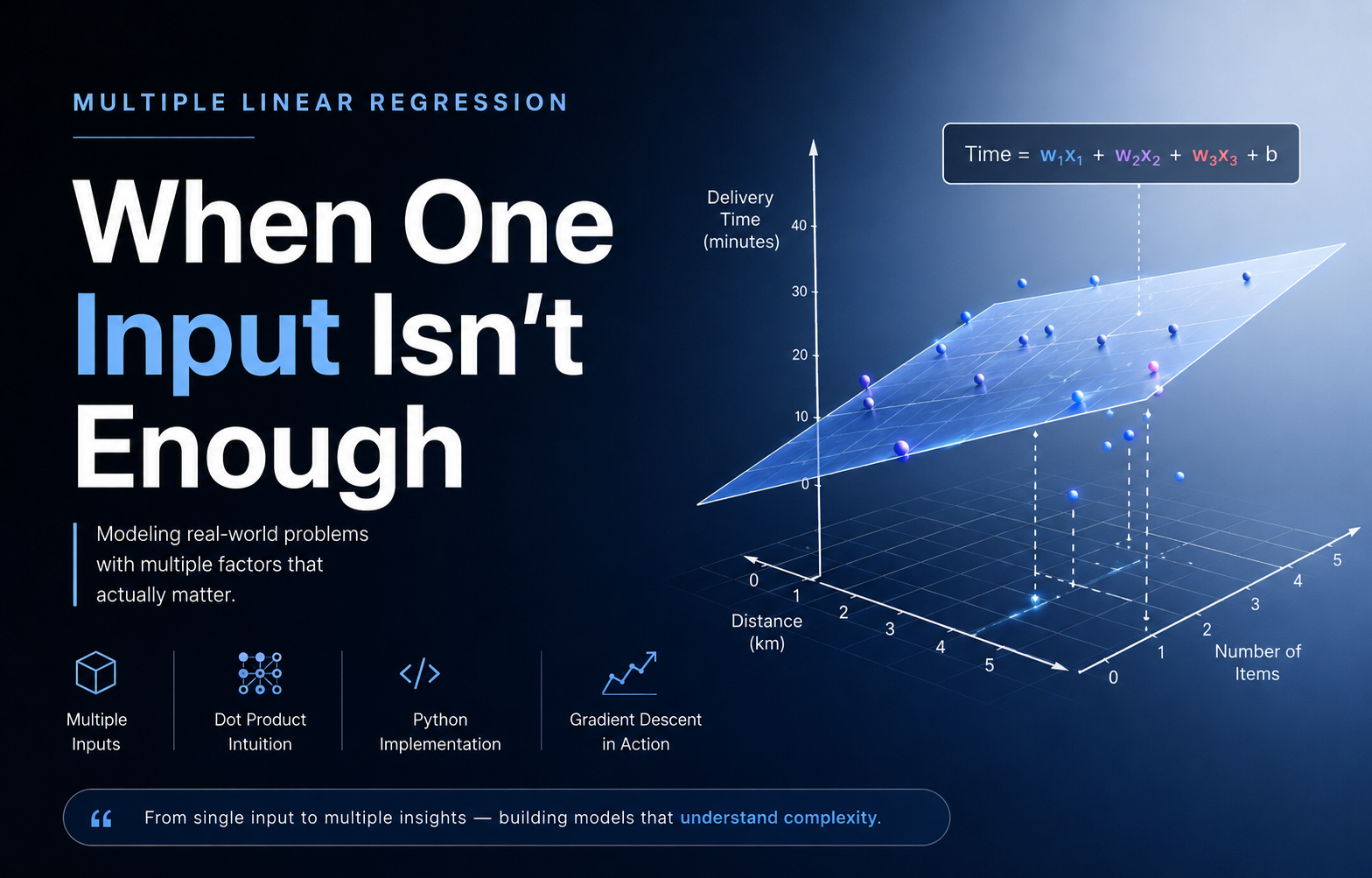
Let's say we're now using three inputs to predict delivery time:
x1 = distance in kilometers
x2 = number of items in the order
x3 = whether the order was placed during peak hours, written as 1 for yes and 0 for no
Each past order in our dataset now has three numbers attached to it, not one. And just like before, each input needs its own weight, telling us how much that particular input matters:
w1 = how much each kilometer of distance adds to the delivery time
w2 = how much each extra item adds to the delivery time
w3 = how much peak hours adds to the delivery time
The prediction formula extends very naturally from what we already know:
prediction = w1 × x1 + w2 × x2 + w3 × x3 + b
This is exactly the same idea as w × x + b from our very first post, just with more terms added on. Multiply each input by its own weight, add them all together, then add the baseline b at the end.
As the number of inputs grows, writing out w1 × x1 + w2 × x2 + w3 × x3 by hand every time gets tedious, especially once a real model has dozens or hundreds of inputs instead of three. So there's a shorter way to write this same operation, called a dot product.
Imagine you have two lists of numbers of the same length. A dot product simply means multiplying the numbers in matching positions, then adding up all those results into one single number. If w is the list of weights and x is the list of inputs, the dot product of w and x is written as w · x, and it means exactly what we did above: w1 × x1 + w2 × x2 + w3 × x3.
So our formula can now be written as:
prediction = w · x + b
Nothing about the math has changed. This is purely a shorter way of writing the same sum, and it's the notation you'll see used almost everywhere once a model has more than a couple of inputs.
Let's build a small table using our three inputs.
| Distance (x1) | Items (x2) | Peak Hours (x3) | Actual Time (min) |
|---|---|---|---|
| 1 | 2 | 0 | 16 |
| 2 | 1 | 1 | 29 |
| 3 | 3 | 0 | 28 |
| 2 | 4 | 1 | 35 |
| 4 | 2 | 0 | 31 |
Unlike the earlier posts in this series, I'm not going to hand you a ready-made w1, w2, w3, and b this time and ask you to trust that they fit. That's a fair thing to be suspicious of, numbers that just appear from nowhere are exactly the kind of thing that should raise a question. So instead, let's actually find them the same way we found w and b for a single input a few posts ago, using gradient descent, just extended to handle three weights instead of one.
The good news here is that we don't need to relearn anything about how gradient descent works. We already know the idea from a couple of posts ago. Start with a bad guess, measure how wrong it is, take a small step against the slope, repeat. None of that changes.
What changes is that instead of adjusting one w, we now adjust three of them, w1, w2, and w3, all at the same time, alongside b. Each weight gets nudged based on how much it personally contributed to the error, using the exact same update rule as before, just applied once per weight:
new w1 = old w1 - (learning rate times the slope of the cost with respect to w1)
new w2 = old w2 - (learning rate times the slope of the cost with respect to w2)
new w3 = old w3 - (learning rate times the slope of the cost with respect to w3)
new b = old b - (learning rate times the slope of the cost with respect to b)
And the slope for each weight is calculated the same way it always was, the average of each error multiplied by that weight's own input. The only real difference from before is that we now do this once per input instead of just once.
Let's write a predict function first, using the dot product idea from earlier in this post.
import numpy as np

def predict(X, w, b):
    return X.dot(w) + b
X.dot(w) computes the dot product for every row of X at once, exactly like np.dot(w, x) did for a single order, just applied to the whole table in one line.
Now let's write gradient descent, extended to work with a whole vector of weights instead of just one number.
def gradient_descent(X, y, w, b, learning_rate, iterations):
    m = len(y)

    for _ in range(iterations):
        predictions = X.dot(w) + b
        errors = predictions - y

        gradient_w = X.T.dot(errors) / m
        gradient_b = np.sum(errors) / m

        w = w - learning_rate * gradient_w
        b = b - learning_rate * gradient_b

    return w, b
The one new piece of code here is X.T.dot(errors). Here's what it's actually doing, in plain words. For every input column, distance, items, and peak hours, it multiplies each row's error by that row's value for that particular column, then adds all of those up. That is exactly the same calculation we did by hand for a single weight in the gradient descent post, just done for all three weights simultaneously, using matrix multiplication instead of three separate loops.
Let's run this on our table and see what it actually finds.
X = np.array([
    [1, 2, 0],
    [2, 1, 1],
    [3, 3, 0],
    [2, 4, 1],
    [4, 2, 0],
])

actual_times = np.array([16, 29, 28, 35, 31])

w = np.zeros(3)
b = 0.0

final_w, final_b = gradient_descent(X, actual_times, w, b, learning_rate=0.05, iterations=10000)

print("Final weights:", final_w)
print("Final bias:", final_b)

# Final weights: [ 5.  2. 10.]
# Final bias: 7.0
Nobody handed the model those numbers. It started at all zeros, completely blind, and found w1 = 5, w2 = 2, w3 = 10, and b = 7 entirely on its own, using nothing but the table and the same downhill walking idea from before. Here's what that walk actually looked like, checked at a few points along the way:
| Iterations | w1 | w2 | w3 | b |
|---|---|---|---|---|
| 1 | 3.52 | 3.47 | 0.64 | 1.39 |
| 10 | 5.23 | 4.73 | 1.92 | 2.37 |
| 100 | 5.32 | 2.96 | 7.74 | 4.55 |
| 1000 | 5.02 | 2.01 | 10.03 | 6.91 |
| 10000 | 5.00 | 2.00 | 10.00 | 7.00 |
Notice something interesting here. Early on, the weights are genuinely wrong, w3 in particular starts far too small compared to where it ends up. But with enough steps, every single weight settles exactly where it needs to be, without us ever telling the model which input mattered most.
Now let's check this against the table by hand, the same way we did in earlier posts, using the fourth row, where the order had more items and was placed during peak hours:
prediction = w1 × x1 + w2 × x2 + w3 × x3 + b
prediction = 5 × 2 + 2 × 4 + 10 × 1 + 7
prediction = 10 + 8 + 10 + 7
prediction = 35
That matches the actual value in the table. Notice how much of the delivery time in that row came from peak hours alone, 10 full minutes, more than double what the distance itself contributed. This is exactly the kind of pattern a single-input model could never capture, since it never even had access to whether the order was placed during peak hours in the first place.
Look closely at our three inputs again. Distance ranges from 1 to 4. Items range from 1 to 4 too. Peak hours only ever takes the value 0 or 1. These three inputs happen to sit on fairly similar scales, which is part of why gradient descent settled into the correct answer smoothly, without much fuss.
Now imagine we added a fourth input, say the price of the order in rupees. That number could easily sit in the hundreds, while peak hours is still stuck at 0 or 1. When your inputs sit on wildly different scales like this, gradient descent starts behaving strangely, taking tiny steps in some directions and huge, unstable steps in others, even though we're using a single learning rate for all of them. Fixing that mismatch is called feature scaling, and that's exactly what the next post is about.
The full notebook for this post is up on GitHub here: https://github.com/tharun-pandya/Machine-Learning-Blog-Series/blob/main/Multi_Linear_Regression.ipynb
See you in the next one.