保留正文与补采附件。源页面当前未重新核验;具体限制见交付清单。
 We value your privacy
We use cookies to enhance your browsing experience, serve personalised ads or content, and analyse our traffic. By clicking "Accept All", you consent to our use of cookies.
Customise Reject All Accept All
Customise Consent Preferences
We value your privacy
We use cookies to enhance your browsing experience, serve personalised ads or content, and analyse our traffic. By clicking "Accept All", you consent to our use of cookies.
Customise Reject All Accept All
Customise Consent Preferences  We use cookies to help you navigate efficiently and perform certain functions. You will find detailed information about all cookies under each consent category below.
The cookies that are categorised as "Necessary" are stored on your browser as they are essential for enabling the basic functionalities of the site. ... Show more
NecessaryAlways Active
Necessary cookies are required to enable the basic features of this site, such as providing secure log-in or adjusting your consent preferences. These cookies do not store any personally identifiable data.
We use cookies to help you navigate efficiently and perform certain functions. You will find detailed information about all cookies under each consent category below.
The cookies that are categorised as "Necessary" are stored on your browser as they are essential for enabling the basic functionalities of the site. ... Show more
NecessaryAlways Active
Necessary cookies are required to enable the basic features of this site, such as providing secure log-in or adjusting your consent preferences. These cookies do not store any personally identifiable data.
-
Cookie
BCTempID
-
Duration
10 minutes
-
Description
No description available.
-
Cookie
__cf_bm
-
Duration
1 hour
-
Description
This cookie, set by Cloudflare, is used to support Cloudflare Bot Management.
-
Cookie
AWSALBCORS
-
Duration
7 days
-
Description
Amazon Web Services set this cookie for load balancing.
-
Cookie
_cfuvid
-
Duration
session
-
Description
Cloudflare sets this cookie to track users across sessions to optimize user experience by maintaining session consistency and providing personalized services
-
Cookie
li_gc
-
Duration
6 months
-
Description
Linkedin set this cookie for storing visitor's consent regarding using cookies for non-essential purposes.
-
Cookie
__hssrc
-
Duration
session
-
Description
This cookie is set by Hubspot whenever it changes the session cookie. The __hssrc cookie set to 1 indicates that the user has restarted the browser, and if the cookie does not exist, it is assumed to be a new session.
-
Cookie
__hssc
-
Duration
1 hour
-
Description
HubSpot sets this cookie to keep track of sessions and to determine if HubSpot should increment the session number and timestamps in the __hstc cookie.
-
Cookie
wpEmojiSettingsSupports
-
Duration
session
-
Description
WordPress sets this cookie when a user interacts with emojis on a WordPress site. It helps determine if the user's browser can display emojis properly.
-
Cookie
BCSessionID
-
Duration
1 year 1 month 4 days
-
Description
Blueconic sets this cookie as a unique identifier for the BlueConic profile.
-
Cookie
_octo
-
Duration
1 year
-
Description
No description available.
-
Cookie
logged_in
-
Duration
1 year
-
Description
No description available.
-
Cookie
__Secure-YEC
-
Duration
past
-
Description
YouTube sets this cookie to stores the user's video player preferences using embedded YouTube video
-
Cookie
__eoi
-
Duration
6 months
-
Description
Description is currently not available.
-
Cookie
AWSALBTGCORS
-
Duration
7 days
-
Description
No description available.
-
Cookie
login-status-p
-
Duration
past
-
Description
Description is currently not available.
-
Cookie
AWSALBTG
-
Duration
7 days
-
Description
No description available.
-
Cookie
csrf_token
-
Duration
session
-
Description
No description available.
-
Cookie
token_v2
-
Duration
1 day
-
Description
Description is currently not available.
-
Cookie
D
-
Duration
1 year
-
Description
Description is currently not available.
-
Cookie
PHPSESSID
-
Duration
session
-
Description
This cookie is native to PHP applications. The cookie stores and identifies a user's unique session ID to manage user sessions on the website. The cookie is a session cookie and will be deleted when all the browser windows are closed.
-
Cookie
VISITOR_PRIVACY_METADATA
-
Duration
6 months
-
Description
YouTube sets this cookie to store the user's cookie consent state for the current domain.
-
Cookie
cookietest
-
Duration
session
-
Description
The cookietest cookie is typically used to determine whether the user's browser accepts cookies, essential for website functionality and user experience.
-
Cookie
__Host-airtable-session
-
Duration
1 year
-
Description
This cookie is used to enable us to integrate the services of Airtable.
-
Cookie
__Host-airtable-session.sig
-
Duration
1 year
-
Description
This cookie is used to enable us to integrate the services of Airtable.
-
Cookie
m
-
Duration
1 year 1 month 4 days
-
Description
Stripe sets this cookie for fraud prevention purposes. It identifies the device used to access the website, allowing the website to be formatted accordingly.
-
Cookie
BIGipServer*
-
Duration
session
-
Description
Marketo sets this cookie to collect information about the user's online activity and build a profile about their interests to provide advertisements relevant to the user.
-
Cookie
__cfruid
-
Duration
session
-
Description
Cloudflare sets this cookie to identify trusted web traffic.
-
Cookie
_GRECAPTCHA
-
Duration
6 months
-
Description
Google Recaptcha service sets this cookie to identify bots to protect the website against malicious spam attacks.
-
Cookie
__Secure-YNID
-
Duration
6 months
-
Description
Google cookie used to protect user security and prevent fraud, especially during the login process.
-
Cookie
cookieyes-consent
-
Duration
1 year
-
Description
CookieYes sets this cookie to remember users' consent preferences so that their preferences are respected on subsequent visits to this site. It does not collect or store any personal information about the site visitors.
Functional
Functional cookies help perform certain functionalities like sharing the content of the website on social media platforms, collecting feedback, and other third-party features.
-
Cookie
lidc
-
Duration
1 day
-
Description
LinkedIn sets the lidc cookie to facilitate data center selection.
-
Cookie
brw
-
Duration
1 year
-
Description
No description available.
-
Cookie
brwConsent
-
Duration
5 minutes
-
Description
Description is currently not available.
-
Cookie
WMF-Uniq
-
Duration
1 year
-
Description
Description is currently not available.
-
Cookie
loom_anon_comment
-
Duration
1 year
-
Description
No description available.
-
Cookie
loom_referral_video
-
Duration
session
-
Description
Description is currently not available.
-
Cookie
VISITOR_INFO1_LIVE
-
Duration
6 months
-
Description
A cookie set by YouTube to measure bandwidth that determines whether the user gets the new or old player interface.
-
Cookie
yt-remote-connected-devices
-
Duration
Never Expires
-
Description
YouTube sets this cookie to store the user's video preferences using embedded YouTube videos.
-
Cookie
ytidb::LAST_RESULT_ENTRY_KEY
-
Duration
Never Expires
-
Description
The cookie ytidb::LAST_RESULT_ENTRY_KEY is used by YouTube to store the last search result entry that was clicked by the user. This information is used to improve the user experience by providing more relevant search results in the future.
-
Cookie
yt-remote-device-id
-
Duration
Never Expires
-
Description
YouTube sets this cookie to store the user's video preferences using embedded YouTube videos.
-
Cookie
yt-remote-session-name
-
Duration
session
-
Description
The yt-remote-session-name cookie is used by YouTube to store the user's video player preferences using embedded YouTube video.
-
Cookie
yt-remote-fast-check-period
-
Duration
session
-
Description
The yt-remote-fast-check-period cookie is used by YouTube to store the user's video player preferences for embedded YouTube videos.
-
Cookie
yt-remote-session-app
-
Duration
session
-
Description
The yt-remote-session-app cookie is used by YouTube to store user preferences and information about the interface of the embedded YouTube video player.
-
Cookie
yt-remote-cast-available
-
Duration
session
-
Description
The yt-remote-cast-available cookie is used to store the user's preferences regarding whether casting is available on their YouTube video player.
-
Cookie
yt-remote-cast-installed
-
Duration
session
-
Description
The yt-remote-cast-installed cookie is used to store the user's video player preferences using embedded YouTube video.
-
Cookie
cp_session
-
Duration
3 months
-
Description
Codepen sets this cookie for Help systems found in the website.
-
Cookie
loid
-
Duration
1 year 1 month 4 days
-
Description
This cookie is set by the Reddit. The cookie enables the sharing of content from the website onto the social media platform.
Analytics
Analytical cookies are used to understand how visitors interact with the website. These cookies help provide information on metrics such as the number of visitors, bounce rate, traffic source, etc.
-
Cookie
__hstc
-
Duration
6 months
-
Description
Hubspot set this main cookie for tracking visitors. It contains the domain, initial timestamp (first visit), last timestamp (last visit), current timestamp (this visit), and session number (increments for each subsequent session).
-
Cookie
hubspotutk
-
Duration
6 months
-
Description
HubSpot sets this cookie to keep track of the visitors to the website. This cookie is passed to HubSpot on form submission and used when deduplicating contacts.
-
Cookie
_ga
-
Duration
1 year 1 month 4 days
-
Description
Google Analytics sets this cookie to calculate visitor, session and campaign data and track site usage for the site's analytics report. The cookie stores information anonymously and assigns a randomly generated number to recognise unique visitors.
-
Cookie
ga*
-
Duration
1 year 1 month 4 days
-
Description
Google Analytics sets this cookie to store and count page views.
-
Cookie
__Host-psifi.analyticsTrace
-
Duration
6 hours
-
Description
Description is currently not available.
-
Cookie
__Host-psifi.analyticsTraceV2
-
Duration
6 hours
-
Description
Description is currently not available.
-
Cookie
_gh_sess
-
Duration
session
-
Description
GitHub sets this cookie for temporary application and framework state between pages like what step the user is on in a multiple step form.
-
Cookie
YSC
-
Duration
session
-
Description
YSC cookie is set by Youtube and is used to track the views of embedded videos on Youtube pages.
-
Cookie
ajs_anonymous_id
-
Duration
1 year
-
Description
This cookie is set by Segment to count the number of people who visit a certain site by tracking if they have visited before.
-
Cookie
vuid
-
Duration
1 year 1 month 4 days
-
Description
Vimeo installs this cookie to collect tracking information by setting a unique ID to embed videos on the website.
Performance
Performance cookies are used to understand and analyse the key performance indexes of the website which helps in delivering a better user experience for the visitors.
-
Cookie
AWSALB
-
Duration
7 days
-
Description
AWSALB is an application load balancer cookie set by Amazon Web Services to map the session to the target.
-
Cookie
acq
-
Duration
past
-
Description
Description is currently not available.
-
Cookie
acq.sig
-
Duration
past
-
Description
Description is currently not available.
-
Cookie
ptc
-
Duration
2 years
-
Description
No description available.
Advertisement
Advertisement cookies are used to provide visitors with customised advertisements based on the pages you visited previously and to analyse the effectiveness of the ad campaigns.
-
Cookie
muc_ads
-
Duration
1 year 1 month 4 days
-
Description
Twitter sets this cookie to collect user behaviour and interaction data to optimize the website.
-
Cookie
guest_id_marketing
-
Duration
1 year 1 month 4 days
-
Description
Twitter sets this cookie to identify and track the website visitor.
-
Cookie
guest_id_ads
-
Duration
1 year 1 month 4 days
-
Description
Twitter sets this cookie to identify and track the website visitor.
-
Cookie
personalization_id
-
Duration
1 year 1 month 4 days
-
Description
Twitter sets this cookie to integrate and share features for social media and also store information about how the user uses the website, for tracking and targeting.
-
Cookie
guest_id
-
Duration
1 year 1 month 4 days
-
Description
Twitter sets this cookie to identify and track the website visitor. It registers if a user is signed in to the Twitter platform and collects information about ad preferences.
-
Cookie
bcookie
-
Duration
1 year
-
Description
LinkedIn sets this cookie from LinkedIn share buttons and ad tags to recognize browser IDs.
-
Cookie
__Secure-ROLLOUT_TOKEN
-
Duration
6 months
-
Description
YouTube sets this cookie to manage feature rollout and experimentation. It helps Google control which new features or interface changes are shown to users as part of testing and staged rollouts, ensuring consistent experience for a given user during an experiment.
-
Cookie
yt.innertube::nextId
-
Duration
Never Expires
-
Description
YouTube sets this cookie to register a unique ID to store data on what videos from YouTube the user has seen.
-
Cookie
yt.innertube::requests
-
Duration
Never Expires
-
Description
YouTube sets this cookie to register a unique ID to store data on what videos from YouTube the user has seen.
-
Cookie
session_tracker
-
Duration
session
-
Description
This cookie is set by the Reddit. This cookie is used to identify trusted web traffic. It also helps in adverstising on the website.
-
Cookie
edgebucket
-
Duration
session
-
Description
Reddit sets this cookie to save the information about a log-on Reddit user, for the purpose of advertisement recommendations and updating the content.
-
Cookie
did
-
Duration
1 year
-
Description
Arbor sets this cookie to show targeted ads to site visitors.This cookie expires after 2 months or 1 year.
Uncategorised
Other uncategorised cookies are those that are being analysed and have not been classified into a category as yet.
No cookies to display.
Reject All Save My Preferences Accept All
Toggle SearchToggle Mobile Navigation
Publish AI, ML & data-science insights to a global community of data professionals.
Sign inSubmit an Article
LatestEditor's PicksNewsletterShipAI
Write For TDS
LinkedInXToggle Search
Data Science
Modern DataFrames in Python: A Hands-On Tutorial with Polars and DuckDB
How I learned to handle growing datasets without slowing down my entire workflow
Benjamin Nweke
November 21, 20256 min read
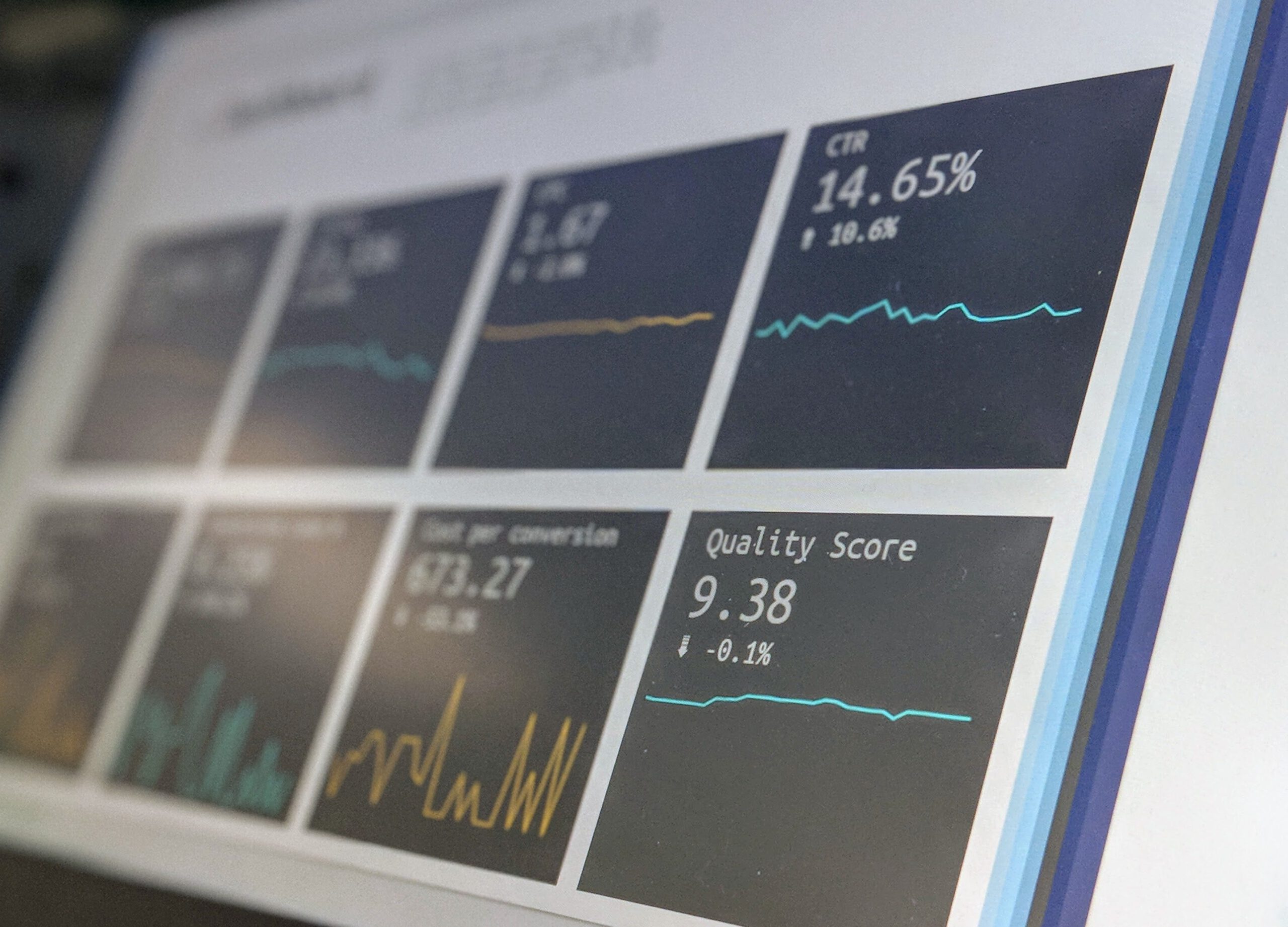
 Photo by Rene Böhmer on Unsplash
If you have worked with Python for data, you have probably experienced the frustration of waiting minutes for a Pandas operation to finish.
At first, everything seems fine, but as your dataset grows and your workflows become more complex, your laptop suddenly feels like it's preparing for lift-off.
A couple of months ago, I worked on a project analyzing e-commerce transactions with over 3 million rows of data.
It was a pretty interesting experience, but most of the time, I watched simple groupby operations that normally ran in seconds suddenly stretch into minutes.
At that point, I realized Pandas is amazing, but it is not always enough.
This article explores modern alternatives to Pandas, including Polars and DuckDB, and examines how they can simplify and improve the handling of large datasets.
For clarity, let me be upfront about a few things before we begin.
This article is not a deep dive into Rust memory management or a proclamation that Pandas is obsolete.
Instead, it is a practical, hands-on guide. You will see real examples, personal experiences, and actionable insights into workflows that can save you time and sanity.
···
Learn this step by step with the interactive AI and Data Scientist roadmap.
Photo by Rene Böhmer on Unsplash
If you have worked with Python for data, you have probably experienced the frustration of waiting minutes for a Pandas operation to finish.
At first, everything seems fine, but as your dataset grows and your workflows become more complex, your laptop suddenly feels like it's preparing for lift-off.
A couple of months ago, I worked on a project analyzing e-commerce transactions with over 3 million rows of data.
It was a pretty interesting experience, but most of the time, I watched simple groupby operations that normally ran in seconds suddenly stretch into minutes.
At that point, I realized Pandas is amazing, but it is not always enough.
This article explores modern alternatives to Pandas, including Polars and DuckDB, and examines how they can simplify and improve the handling of large datasets.
For clarity, let me be upfront about a few things before we begin.
This article is not a deep dive into Rust memory management or a proclamation that Pandas is obsolete.
Instead, it is a practical, hands-on guide. You will see real examples, personal experiences, and actionable insights into workflows that can save you time and sanity.
···
Learn this step by step with the interactive AI and Data Scientist roadmap.
Why Pandas Can Feel Slow
Back when I was on the e-commerce project, I remember working with CSV files over two gigabytes, and every filter or aggregation in Pandas often took several minutes to complete.
During that time, I would stare at the screen, wishing I could just grab a coffee or binge a few episodes of a show while the code ran.
The main pain points I encountered were speed, memory, and workflow complexity.
We all know how large CSV files consume enormous amounts of RAM, sometimes more than what my laptop could comfortably handle. On top of that, chaining multiple transformations also made code harder to maintain and slower to execute.
Polars and DuckDB address these challenges in different ways.
Polars, built in Rust, uses multi-threaded execution to process large datasets efficiently.
DuckDB, on the other hand, is designed for analytics and executes SQL queries without needing you to load everything into memory.
Basically, each of them has its own superpower. Polars is the speedster, and DuckDB is kind of like the memory magician.
And the best part? Both integrate seamlessly with Python, allowing you to enhance your workflows without a complete rewrite.
Setting Up Your Environment
Before we start coding, make sure your environment is ready. For consistency, I used Pandas 2.2.0, Polars 0.20.0, and DuckDB 1.9.0.
Pinning versions can save you headaches when following tutorials or sharing code.
bash
pip install pandas==2.2.0 polars==0.20.0 duckdb==1.9.0
In Python, import the libraries:
python
import pandas as pd
import polars as pl
import duckdb
import warnings
warnings.filterwarnings("ignore")
For example, I will use an e-commerce sales dataset with columns such as order ID, product ID, region, country, revenue, and date. You can download similar datasets from Kaggle or generate synthetic data.
Loading Data
Loading data efficiently sets the tone for the rest of your workflow. I remember a project where the CSV file had nearly 5 million rows.
Pandas handled it, but the load times were long, and the repeated reloads during testing were painful.
It was one of those moments where you wish your laptop had a “fast forward” button.
Switching to Polars and DuckDB completely improved everything, and suddenly, I could access and manipulate the data almost instantly, which honestly made the testing and iteration processes far more enjoyable.
With Pandas:
python
df_pd = pd.read_csv("sales.csv")
print(df_pd.head(3))
With Polars:
python
df_pl = pl.read_csv("sales.csv")
print(df_pl.head(3))
With DuckDB:
python
con = duckdb.connect()
df_duck = con.execute("SELECT * FROM 'sales.csv'").df()
print(df_duck.head(3))
DuckDB can query CSVs directly without loading the entire datasets into memory, making it much easier to work with large files.
Filtering Data
The problem here is that filtering in Pandas can be slow when dealing with millions of rows. I once needed to analyze European transactions in a massive sales dataset. Pandas took minutes, which slowed down my analysis.
With Pandas:
python
filtered_pd = df_pd[df_pd.region == "Europe"]
Polars is faster and can process multiple filters efficiently:
python
filtered_pl = df_pl.filter(pl.col("region") == "Europe")
DuckDB uses SQL syntax:
python
filtered_duck = con.execute("""
    SELECT *
    FROM 'sales.csv'
    WHERE region = 'Europe'
""").df()
Now you can filter through large datasets in seconds instead of minutes, leaving you more time to focus on the insights that really matter.
Aggregating Large Datasets Quickly
Aggregation is often where Pandas starts to feel slow. Imagine calculating total revenue per country for a marketing report.
In Pandas:
python
agg_pd = df_pd.groupby("country")["revenue"].sum().reset_index()
In Polars:
python
agg_pl = df_pl.groupby("country").agg(pl.col("revenue").sum())
In DuckDB:
python
agg_duck = con.execute("""
    SELECT country, SUM(revenue) AS total_revenue
    FROM 'sales.csv'
    GROUP BY country
""").df()
I remember running this aggregation on a 10 million-row dataset. In Pandas, it took nearly half an hour. Polars completed the same operation in under a minute.
The sense of relief was almost like finishing a marathon and realizing your legs still work.
Joining Datasets at Scale
Joining datasets is one of those things that sounds simple until you are actually knee-deep in the data.
In real projects, your data usually lives in multiple sources, so you have to combine them using shared columns like customer IDs.
I learned this the hard way while working on a project that required combining millions of customer orders with an equally large demographic dataset.
Each file was big enough on its own, but merging them felt like trying to force two puzzle pieces together while your laptop begged for mercy.
Pandas took so long that I began timing the joins the same way people time how long it takes their microwave popcorn to finish.
Spoiler: the popcorn won every time.
Polars and DuckDB gave me a way out.
With Pandas:
python
merged_pd = df_pd.merge(pop_df_pd, on="country", how="left")
Polars:
python
merged_pl = df_pl.join(pop_df_pl, on="country", how="left")
DuckDB:
python
merged_duck = con.execute("""
    SELECT *
    FROM 'sales.csv' s
    LEFT JOIN 'pop.csv' p
    USING (country)
""").df()
Joins on large datasets that used to freeze your workflow now run smoothly and efficiently.
Lazy Evaluation in Polars
One thing I didn’t appreciate early in my data science journey was how much time gets wasted while running transformations line by line.
Polars approaches this differently.
It uses a technique called lazy evaluation, which essentially waits until you have completed defining your transformations before executing any operations.
It examines the entire pipeline, determines the most efficient path, and executes everything simultaneously.
It’s like having a friend who listens to your entire order before walking to the kitchen, instead of one who takes each instruction separately and keeps going back and forth.
This TDS article indepthly explains lazy evaluation.
Here’s what the flow looks like:
Pandas:
python
df = df[df["amount"] > 100]
df = df.groupby("segment").agg({"amount": "mean"})
df = df.sort_values("amount")
Polars Lazy Mode:
python
import polars as pl

df_lazy = (
    pl.scan_csv("sales.csv")
      .filter(pl.col("amount") > 100)
      .groupby("segment")
      .agg(pl.col("amount").mean())
      .sort("amount")
)

result = df_lazy.collect()
The first time I used lazy mode, it felt strange not seeing instant results. But once I ran the final .collect(), the speed difference was obvious.
Lazy evaluation won’t magically solve every performance issue, but it brings a level of efficiency that Pandas wasn’t designed for.
···
Conclusion and takeaways
Working with large datasets doesn’t have to feel like wrestling with your tools.
Using Polars and DuckDB showed me that the problem wasn’t always the data. Sometimes, it was the tool I was using to handle it.
If there is one thing you take away from this tutorial, let it be this: you don’t have to abandon Pandas, but you can reach for something better when your datasets start pushing their limits.
Polars gives you speed as well as smarter execution, then DuckDB lets you query huge files like they’re tiny. Together, they make working with large data feel more manageable and less tiring.
If you want to go deeper into the ideas explored in this tutorial, the official documentation of Polars and DuckDB are good places to start.
Register Now to Continue Reading
Unlock Towards Data Science with a Free Account
All articles on Towards Data Science are available to registered users. Create a free account today to access this article and thousands more.
Register for freeSign in to your account
 Written By
Benjamin Nweke is a Computer Science graduate and technical writer exploring AI, machine learning, and data science. He writes about building reliable AI systems, model evaluation, agentic architectures, and the practical challenges that appear when machine learning moves beyond experiments. His work focuses on making technically complex ideas clear, useful, and grounded in real implementation.
See all from Benjamin Nweke
Big DataData AnalysisData SciencePolarsPython
Share This Article
Towards Data Science is a community publication. Submit your insights to reach our global audience and earn through the TDS Author Payment Program.
Write for TDS
Related Articles
Machine Learning
Our weekly selection of must-read Editors' Picks and original features
TDS Editors
June 22, 20232 min read
Machine Learning
Is Microsoft excel a good alternative for a quick and approximate linear regression prediction business case? I think yes, but let's do a...
Kaushik Choudhury
August 6, 20206 min read
Data Science
Applied data science and analytics to tackle global warming induced environmental challenges. End-to-end project with real world rainfall...
Mohamed A. Warsame
March 25, 202114 min read
Programming
Having difficulty transitioning between using Python and R? Try these tips to make the transition smoother
Madison Hunter
November 8, 20229 min read
Programming
How does pivot work? What is the main pandas building block? And more ...
Roman Orac
April 1, 20204 min read
Data Science
Provide Your Dashboard Users with Greater Flexibility
Andy McDonald
December 20, 20225 min read
Data Science
A timeline of how I went from being scared of maths to becoming a full-fledged Data Scientist at a renowned Tech firm
Khouloud El Alami
July 3, 202310 min read
Data Science
An initial look into how math is leveraged to compare text in NLP
Aashish Nair
January 17, 20224 min read
Data Science
Part 1: Mode of Learning (Online vs Physical)
Nathan Timothy Handoko
January 11, 20226 min read
Your home for data science and AI. The world's leading publication for data science, data analytics, data engineering, machine learning, and artificial intelligence professionals.
Subscribe to Our NewsletterWrite For TDS•About•Advertise•Privacy Policy•Terms of Use
© Insight Media Group, LLC 2026•The New Stack•roadmap.sh•Creator Network
Recommended Articles
Close